

220-1102 Exam Question 176
Ann, a CEO, has purchased a new consumer-class tablet for personal use, but she is unable to connect it to the company's wireless network. All the corporate laptops are connecting without issue. She has asked you to assist with getting the device online.
INSTRUCTIONS
Review the network diagrams and device configurations to determine the cause of the problem and resolve any discovered issues.
If at any time you would like to bring back the initial state of the simulation, please click the Reset All button.

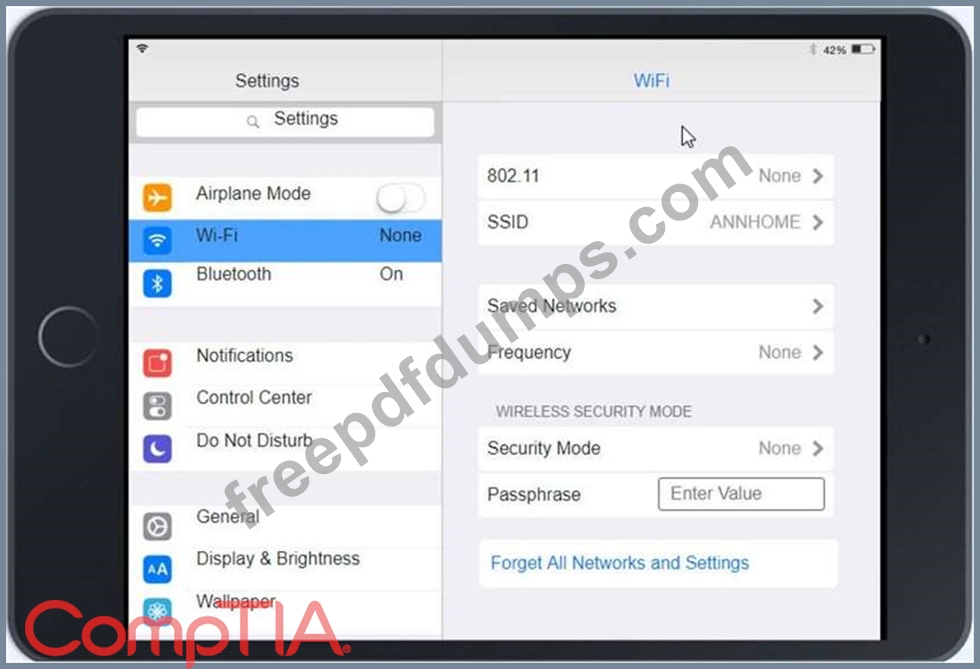


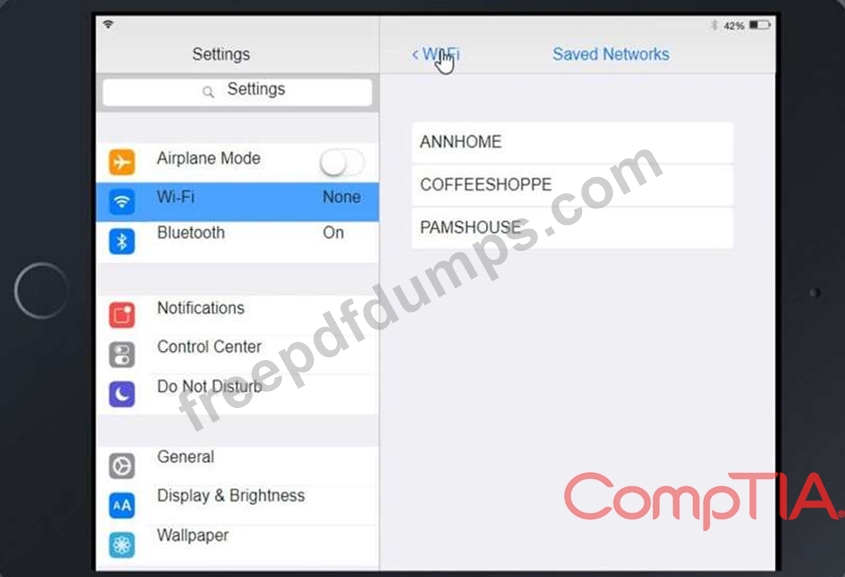


INSTRUCTIONS
Review the network diagrams and device configurations to determine the cause of the problem and resolve any discovered issues.
If at any time you would like to bring back the initial state of the simulation, please click the Reset All button.


220-1102 Exam Question 177
A user's application is unresponsive. Which of the following Task Manager tabs will allow the user to address the situation?
220-1102 Exam Question 178
A remote user is experiencing issues with Outlook settings and asks a technician to review the settings. Which of the following can the technician use to access the user's computer remotely?
220-1102 Exam Question 179
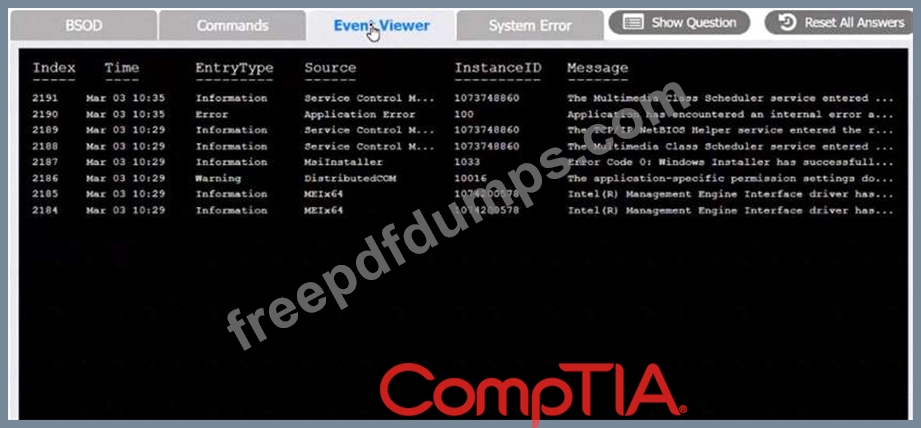
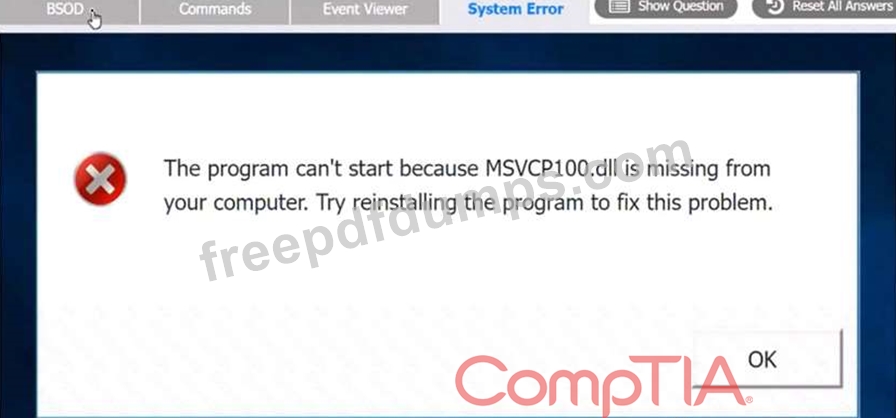
A user reports that after a recent software deployment to upgrade applications, the user can no longer use the Testing program.
However, other employees can successfully use the Testing program.
INSTRUCTIONS
Review the information in each tab to verify the results of the deployment and resolve any issues discovered by selecting the:
Index number of the Event Viewer issue
First command to resolve the issue
Second command to resolve the issue
BSOD

Commands:

Event Viewer:
System Error:


However, other employees can successfully use the Testing program.
INSTRUCTIONS
Review the information in each tab to verify the results of the deployment and resolve any issues discovered by selecting the:
Index number of the Event Viewer issue
First command to resolve the issue
Second command to resolve the issue
BSOD
Commands:
Event Viewer:
System Error:

220-1102 Exam Question 180
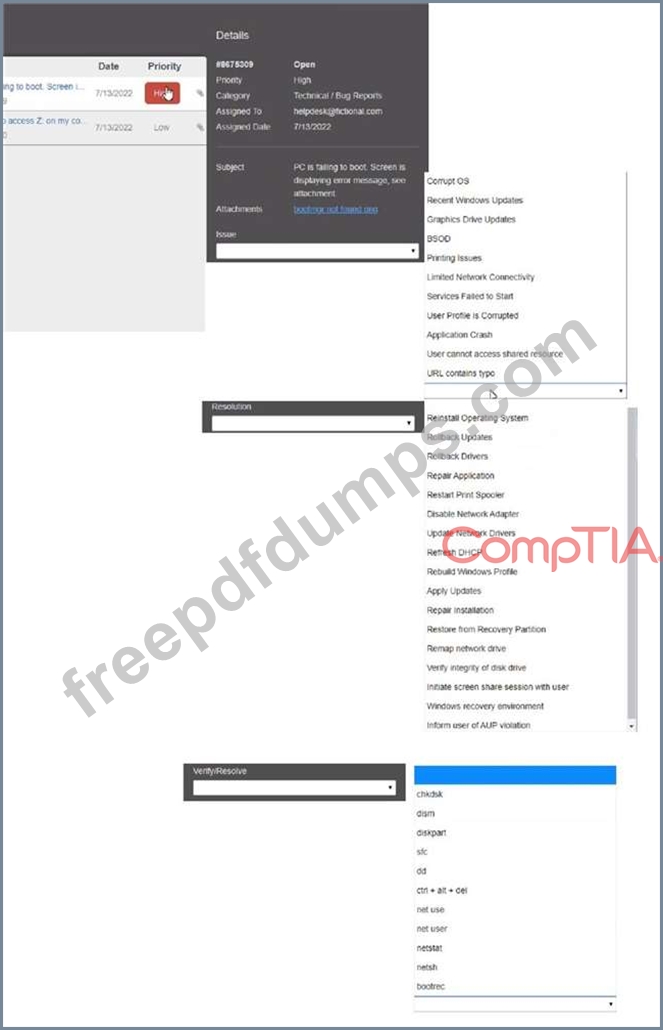
Welcome to your first day as a Fictional Company. LLC helpdesk employee. Please work the tickets in your helpdesk ticket queue.
Click on individual tickers to see the ticket details. View attachments to determine the problem.
Select the appropriate issue from the 'issue' drop-down menu. Then, select the MOST efficient resolution from the 'Resolution' drop-down menu. Finally, select the proper command or verification to remediate or confirm your fix of the issue from the Verify Resolve drop-down menu.


Click on individual tickers to see the ticket details. View attachments to determine the problem.
Select the appropriate issue from the 'issue' drop-down menu. Then, select the MOST efficient resolution from the 'Resolution' drop-down menu. Finally, select the proper command or verification to remediate or confirm your fix of the issue from the Verify Resolve drop-down menu.
