

CKS Exam Question 1
Context
A Role bound to a Pod's ServiceAccount grants overly permissive permissions. Complete the following tasks to reduce the set of permissions.
Task
Given an existing Pod named web-pod running in the namespace security.
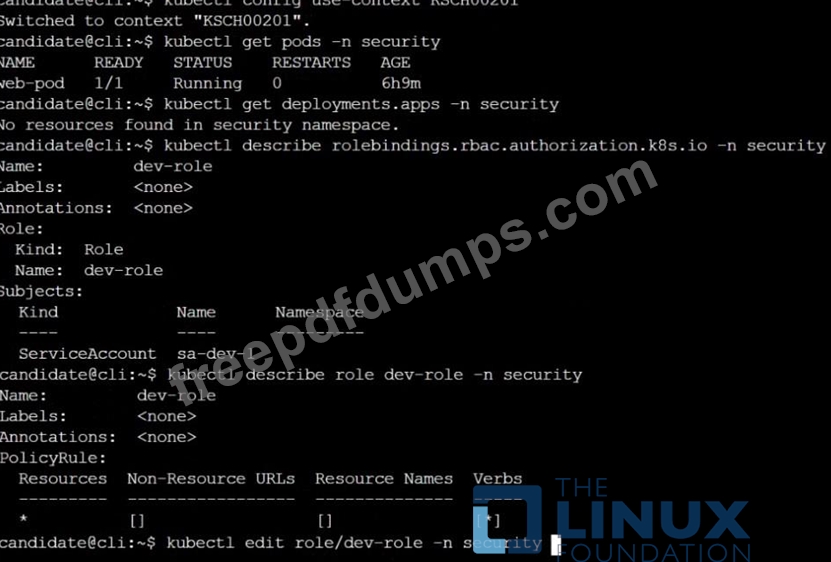
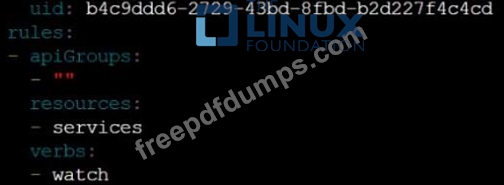
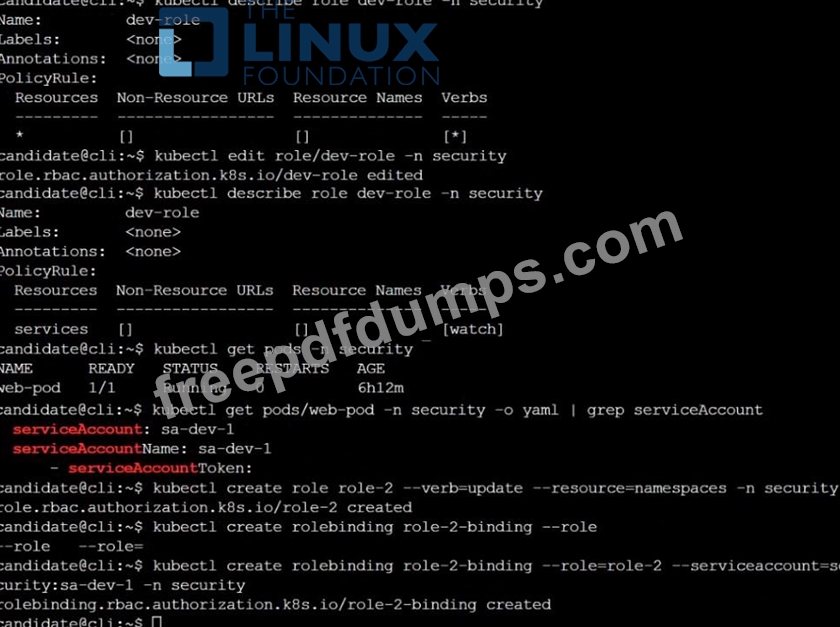
Edit the existing Role bound to the Pod's ServiceAccount sa-dev-1 to only allow performing watch operations, only on resources of type services.
Create a new Role named role-2 in the namespace security, which only allows performing update operations, only on resources of type namespaces.
Create a new RoleBinding named role-2-binding binding the newly created Role to the Pod's ServiceAccount.

A Role bound to a Pod's ServiceAccount grants overly permissive permissions. Complete the following tasks to reduce the set of permissions.
Task
Given an existing Pod named web-pod running in the namespace security.
Edit the existing Role bound to the Pod's ServiceAccount sa-dev-1 to only allow performing watch operations, only on resources of type services.
Create a new Role named role-2 in the namespace security, which only allows performing update operations, only on resources of type namespaces.
Create a new RoleBinding named role-2-binding binding the newly created Role to the Pod's ServiceAccount.
CKS Exam Question 2
You can switch the cluster/configuration context using the following command: [desk@cli] $ kubectl config use-context stage Context: A PodSecurityPolicy shall prevent the creation of privileged Pods in a specific namespace. Task: 1. Create a new PodSecurityPolcy named deny-policy, which prevents the creation of privileged Pods. 2. Create a new ClusterRole name deny-access-role, which uses the newly created PodSecurityPolicy deny-policy. 3. Create a new ServiceAccount named psd-denial-sa in the existing namespace development. Finally, create a new ClusterRoleBindind named restrict-access-bind, which binds the newly created ClusterRole deny-access-role to the newly created ServiceAccount psp-denial-sa
CKS Exam Question 3
Context
This cluster uses containerd as CRI runtime.
Containerd's default runtime handler is runc. Containerd has been prepared to support an additional runtime handler, runsc (gVisor).
Task
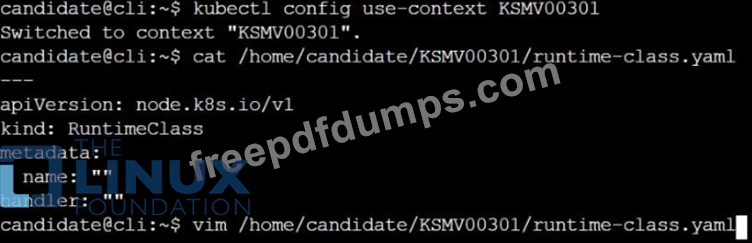
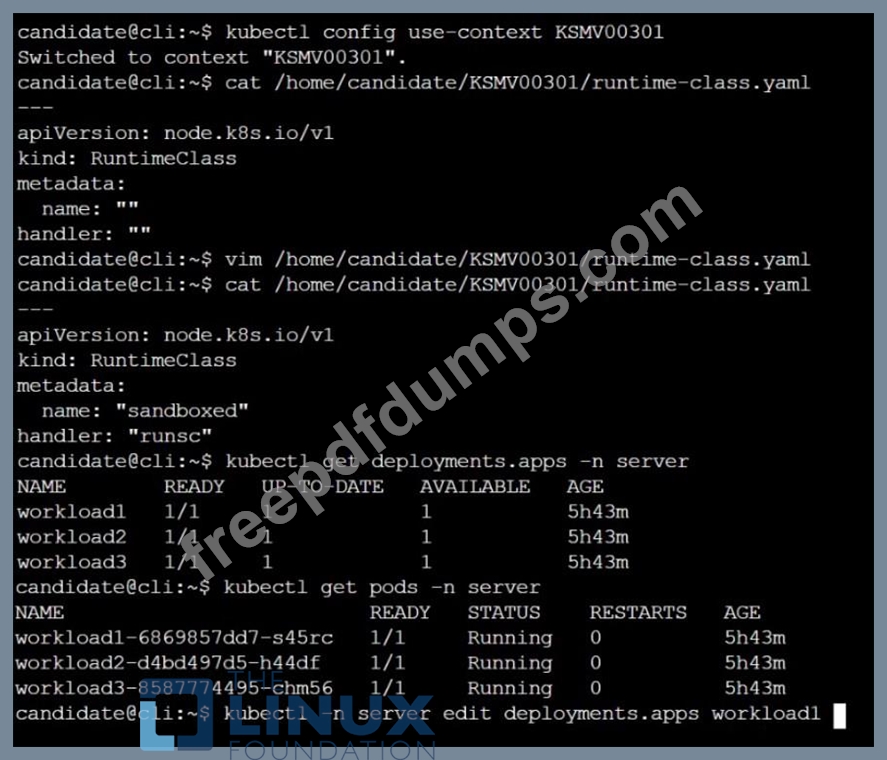
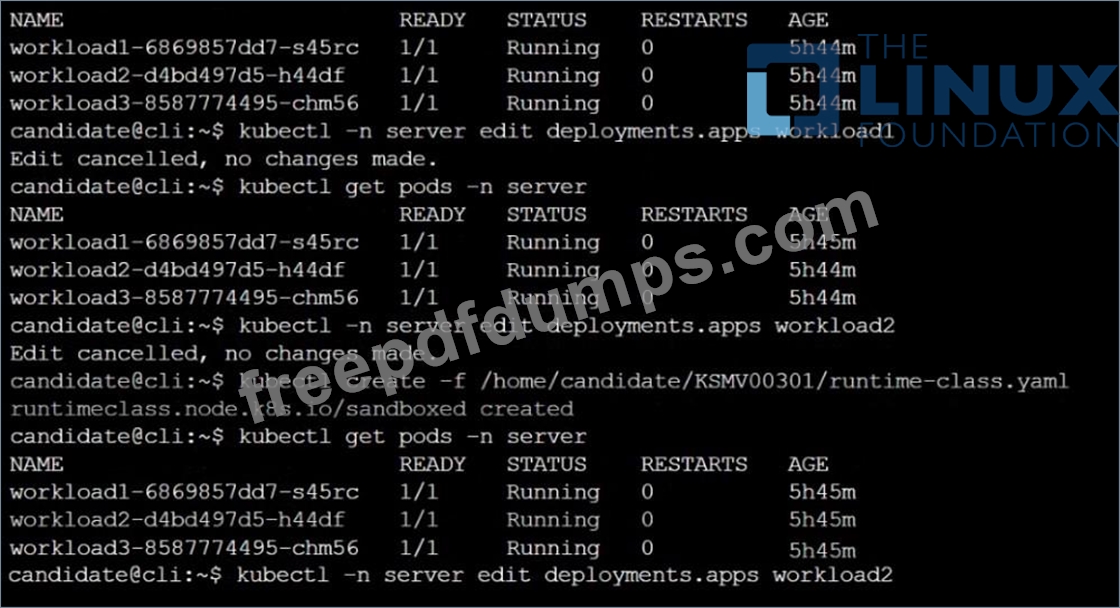
Create a RuntimeClass named sandboxed using the prepared runtime handler named runsc.
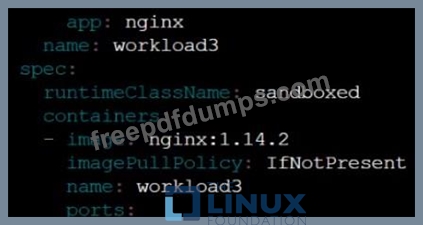
Update all Pods in the namespace server to run on gVisor.

This cluster uses containerd as CRI runtime.
Containerd's default runtime handler is runc. Containerd has been prepared to support an additional runtime handler, runsc (gVisor).
Task
Create a RuntimeClass named sandboxed using the prepared runtime handler named runsc.
Update all Pods in the namespace server to run on gVisor.





CKS Exam Question 4
use the Trivy to scan the following images,
1. amazonlinux:1
2. k8s.gcr.io/kube-controller-manager:v1.18.6
Look for images with HIGH or CRITICAL severity vulnerabilities and store the output of the same in /opt/trivy-vulnerable.txt
1. amazonlinux:1
2. k8s.gcr.io/kube-controller-manager:v1.18.6
Look for images with HIGH or CRITICAL severity vulnerabilities and store the output of the same in /opt/trivy-vulnerable.txt
CKS Exam Question 5
You can switch the cluster/configuration context using the following command: [desk@cli] $ kubectl config use-context dev A default-deny NetworkPolicy avoid to accidentally expose a Pod in a namespace that doesn't have any other NetworkPolicy defined.
Task: Create a new default-deny NetworkPolicy named deny-network in the namespace test for all traffic of type Ingress + Egress The new NetworkPolicy must deny all Ingress + Egress traffic in the namespace test.
Apply the newly created default-deny NetworkPolicy to all Pods running in namespace test.
You can find a skeleton manifests file at /home/cert_masters/network-policy.yaml
Task: Create a new default-deny NetworkPolicy named deny-network in the namespace test for all traffic of type Ingress + Egress The new NetworkPolicy must deny all Ingress + Egress traffic in the namespace test.
Apply the newly created default-deny NetworkPolicy to all Pods running in namespace test.
You can find a skeleton manifests file at /home/cert_masters/network-policy.yaml