AZ-140 Exam Question 36
Your network contains an on-premises Active Directory domain named contoso.com.
You have an Azure subscription that contains the resources shown in the following table.

You need to create a share that will host FSLogix profiles for AVDPool1. The solution must meet the following requirements:
* Maximize read and write performance for the profiles.
* Control access to the SMB share by using the users and groups stored in contoso.com.
Which account should you use to host the share?
You have an Azure subscription that contains the resources shown in the following table.
You need to create a share that will host FSLogix profiles for AVDPool1. The solution must meet the following requirements:
* Maximize read and write performance for the profiles.
* Control access to the SMB share by using the users and groups stored in contoso.com.
Which account should you use to host the share?
AZ-140 Exam Question 37
You need to evaluate the RDS deployment in the Seattle office. The solution must meet the technical requirements.
Which three actions should you perform in sequence? To answer, move the appropriate actions from the list of actions to the answer area and arrange them in the correct order.

Which three actions should you perform in sequence? To answer, move the appropriate actions from the list of actions to the answer area and arrange them in the correct order.


AZ-140 Exam Question 38
You are planning the deployment of Pool4.
What will be the maximum number of users that can connect to Pool4, and how many session hosts are needed to support five concurrent user sessions? To answer, select the appropriate options in the answer area.
NOTE: Each correct selection is worth one point.

What will be the maximum number of users that can connect to Pool4, and how many session hosts are needed to support five concurrent user sessions? To answer, select the appropriate options in the answer area.
NOTE: Each correct selection is worth one point.

AZ-140 Exam Question 39
You have a Windows Virtual Desktop deployment.
You have a session host named Host1 that has the disk layout shown in the exhibit. (Click the Exhibit tab.)

You plan to deploy an app that must be installed on D. The app requires 500 GB of disk space.
You need to add a new data disk that will be assigned the drive letter D. The solution must maintain the current performance of Host1.
Which four actions should you perform in sequence? To answer, move the appropriate actions from the list of actions to the answer area and arrange them in the correct order.

You have a session host named Host1 that has the disk layout shown in the exhibit. (Click the Exhibit tab.)
You plan to deploy an app that must be installed on D. The app requires 500 GB of disk space.
You need to add a new data disk that will be assigned the drive letter D. The solution must maintain the current performance of Host1.
Which four actions should you perform in sequence? To answer, move the appropriate actions from the list of actions to the answer area and arrange them in the correct order.

AZ-140 Exam Question 40
You have an Azure subscription that contains the virtual machines shown in the following table.

You create an Azure Compute Gallery as shown in the Azure compute gallery exhibit. (Click the Azure compute gallery tab.)

You create a virtual machine image definition as shown in the VM image definition exhibit. (Click the VM image definition tab.)


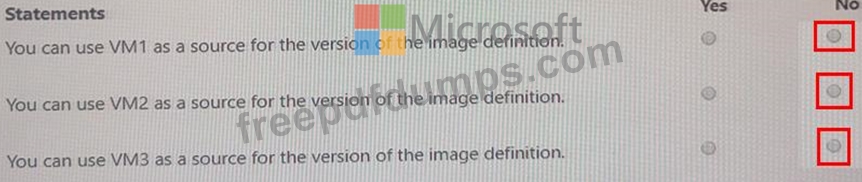
For each of the following statements, select Yes if the statement is true. Otherwise, select No.

You create an Azure Compute Gallery as shown in the Azure compute gallery exhibit. (Click the Azure compute gallery tab.)
You create a virtual machine image definition as shown in the VM image definition exhibit. (Click the VM image definition tab.)
For each of the following statements, select Yes if the statement is true. Otherwise, select No.