AZ-400 Exam Question 186
You use GitHub Enterprise to manage source code and deployments.
From GitHub Actions, you create a reusable workflow named workflow 1.
You need to ensure that the secrets defined in the calling workflow are passed to workflow1.
What should you include in the YAML file for the calling workflow?
From GitHub Actions, you create a reusable workflow named workflow 1.
You need to ensure that the secrets defined in the calling workflow are passed to workflow1.
What should you include in the YAML file for the calling workflow?
AZ-400 Exam Question 187
Task 7
You need to create a pipeline to deploy a Docker image. The commit must be created in a new branch named azure-pipelines.
The pipeline must be created by using the predefined Docker template.
You need to create a pipeline to deploy a Docker image. The commit must be created in a new branch named azure-pipelines.
The pipeline must be created by using the predefined Docker template.
AZ-400 Exam Question 188
You need to perform the GitHub code migration. The solution must support the planned changes for the DevOps environment.
What should you use?
What should you use?
AZ-400 Exam Question 189
You plan to deploy a website that will be hosted in two Azure regions.
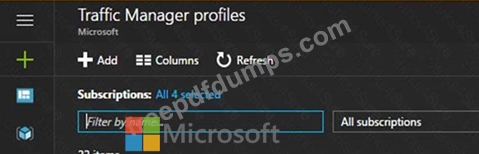
You need to create an Azure Traffic Manager profile named az40011566895n1-tm in a resource group named RG1lod11566895. The solution must ensure that users will always connect to a copy of the website that is in the same country.
To complete this task, sign in to the Microsoft Azure portal.
You need to create an Azure Traffic Manager profile named az40011566895n1-tm in a resource group named RG1lod11566895. The solution must ensure that users will always connect to a copy of the website that is in the same country.
To complete this task, sign in to the Microsoft Azure portal.
AZ-400 Exam Question 190
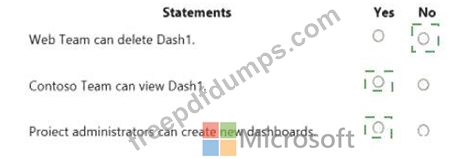
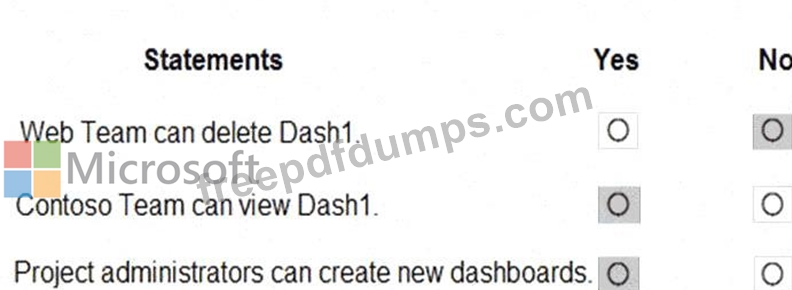
You have a project in Azure DevOps that has three teams as shown in the Teams exhibit. (Click the Teams tab.)
You create a new dashboard named Dash1.
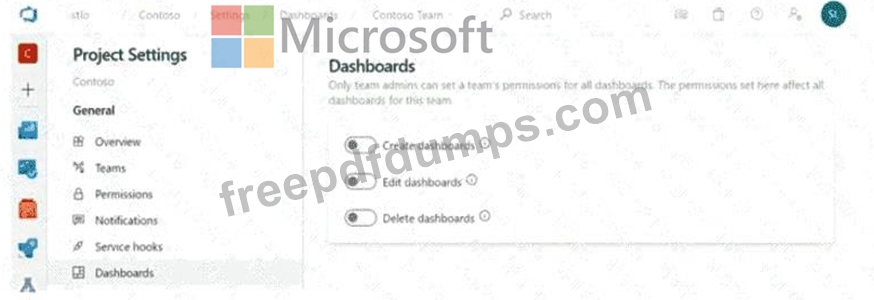
You configure the dashboard permissions for the Contoso project as shown in the Permissions exhibit (Click the Permissions tab.)
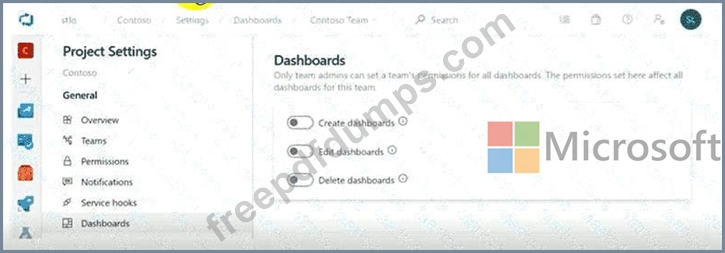
All other permissions have the default values set.
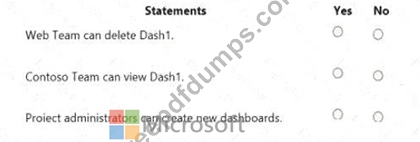
You create a new dashboard named Dash1.
You configure the dashboard permissions for the Contoso project as shown in the Permissions exhibit (Click the Permissions tab.)
All other permissions have the default values set.