

AZ-500 Exam Question 146
You have an Azure key vault.
You need to delegate administrative access to the key vault to meet the following requirements:
Provide a user named User1 with the ability to set advanced access policies for the key vault.
Provide a user named User2 with the ability to add and delete certificates in the key vault.
Use the principle of least privilege.
What should you use to assign access to each user? To answer, select the appropriate options in the answer area.
NOTE: Each correct selection is worth one point.

You need to delegate administrative access to the key vault to meet the following requirements:
Provide a user named User1 with the ability to set advanced access policies for the key vault.
Provide a user named User2 with the ability to add and delete certificates in the key vault.
Use the principle of least privilege.
What should you use to assign access to each user? To answer, select the appropriate options in the answer area.
NOTE: Each correct selection is worth one point.

AZ-500 Exam Question 147
You are evaluating the security of the network communication between the virtual machines in Sub2.
For each of the following statements, select Yes if the statement is true. Otherwise, select No.
NOTE: Each correct selection is worth one point.
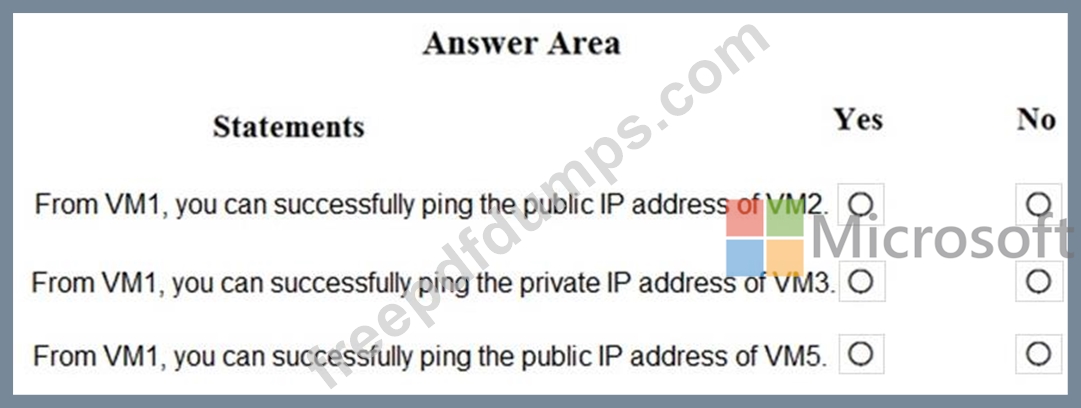
For each of the following statements, select Yes if the statement is true. Otherwise, select No.
NOTE: Each correct selection is worth one point.

AZ-500 Exam Question 148
You have an Azure subscription that contains the storage accounts shown in the following table.
You need to configure authorization access.
Which authorization types can you use for each storage account? To answer, select the appropriate options in the answer area.
NOTE: Each correct selection is worth one point.

You need to configure authorization access.
Which authorization types can you use for each storage account? To answer, select the appropriate options in the answer area.
NOTE: Each correct selection is worth one point.

AZ-500 Exam Question 149
You have an Azure subscription named Sub1. Sub1 contains a virtual network named VNet1 that contains one subnet named Subnet1.
Subnet1 contains an Azure virtual machine named VM1 that runs Ubuntu Server 20.04.
You create a service endpoint for Microsoft. Storage in Subnet1.
You need to ensure that when you deploy Docker containers to VM1, the containers can access Azure Storage resources by using the service endpoint.
What should you do on VM1 before you deploy the container?
Subnet1 contains an Azure virtual machine named VM1 that runs Ubuntu Server 20.04.
You create a service endpoint for Microsoft. Storage in Subnet1.
You need to ensure that when you deploy Docker containers to VM1, the containers can access Azure Storage resources by using the service endpoint.
What should you do on VM1 before you deploy the container?
AZ-500 Exam Question 150
You create a new Azure subscription that is associated to a new Azure Active Directory (Azure AD) tenant.
You create one active conditional access policy named Portal Policy. Portal Policy is used to provide access to the Microsoft Azure Management cloud app.
The Conditions settings for Portal Policy are configured as shown in the Conditions exhibit. (Click the Conditions tab.)

The Grant settings for Portal Policy are configured as shown in the Grant exhibit. (Click the Grant tab.)

For each of the following statements, select Yes if the statement is true. Otherwise, select No.
NOTE: Each correct selection is worth one point.

You create one active conditional access policy named Portal Policy. Portal Policy is used to provide access to the Microsoft Azure Management cloud app.
The Conditions settings for Portal Policy are configured as shown in the Conditions exhibit. (Click the Conditions tab.)
The Grant settings for Portal Policy are configured as shown in the Grant exhibit. (Click the Grant tab.)
For each of the following statements, select Yes if the statement is true. Otherwise, select No.
NOTE: Each correct selection is worth one point.
