You have an Azure Cosmos DB Core (SQL) API account that uses a custom conflict resolution policy. The account has a registered merge procedure that throws a runtime exception. The runtime exception prevents conflicts from being resolved. You need to use an Azure function to resolve the conflicts. What should you use?
Correct Answer: D
Explanation The Azure Cosmos DB Trigger uses the Azure Cosmos DB Change Feed to listen for inserts and updates across partitions. The change feed publishes inserts and updates, not deletions. Reference: https://docs.microsoft.com/en-us/azure/azure-functions/functions-bindings-cosmosdb
DP-420 Exam Question 42
You have an Azure Cosmos DB for NoSQL account that has multiple write regions. You need to receive an alert when requests that target the database exceed the available request units per second (RU/s). Which Azure Monitor signal should you use?
Correct Answer: C
Explanation Azure Monitor is a service that provides comprehensive monitoring for Azure resources, including Azure Cosmos DB. You can use Azure Monitor to collect, analyze, and alert on metrics and logs from your Azure Cosmos DB account. You can create alerts for Azure Cosmos DB using Azure Monitor based on the metrics, activity log events, or Log Analytics logs on your account For your scenario, if you want to receive an alert when requests that target the database exceed the available request units per second (RU/s), you should use the Document Quota metric. This metric measures the percentage of RU/s consumed by your account or container. You can create an alert rule on this metric from the Azure portal by following these steps In the Azure portal, select the Azure Cosmos DB account you want to monitor. Under the Monitoring section of the sidebar, select Alerts, and then select New alert rule. In the Create alert rule pane, fill out the Scope section by selecting your subscription name and resource type (Azure Cosmos DB accounts). In the Condition section, select Add condition and choose Document Quota from the list of signals. In the Configure signal logic pane, specify the threshold value and operator for your alert condition. For example, you can choose Greater than or equal to 90 as the threshold value and operator to receive an alert when your RU/s consumption reaches 90% or more of your provisioned throughput. In the Alert rule details section, specify a name and description for your alert rule. In the Actions section, select Add action group and choose how you want to receive notifications for your alert. For example, you can choose Email/SMS/Push/Voice as an action type and enter your email address or phone number as a receiver. Review your alert rule settings and select Create alert rule to save it.
DP-420 Exam Question 43
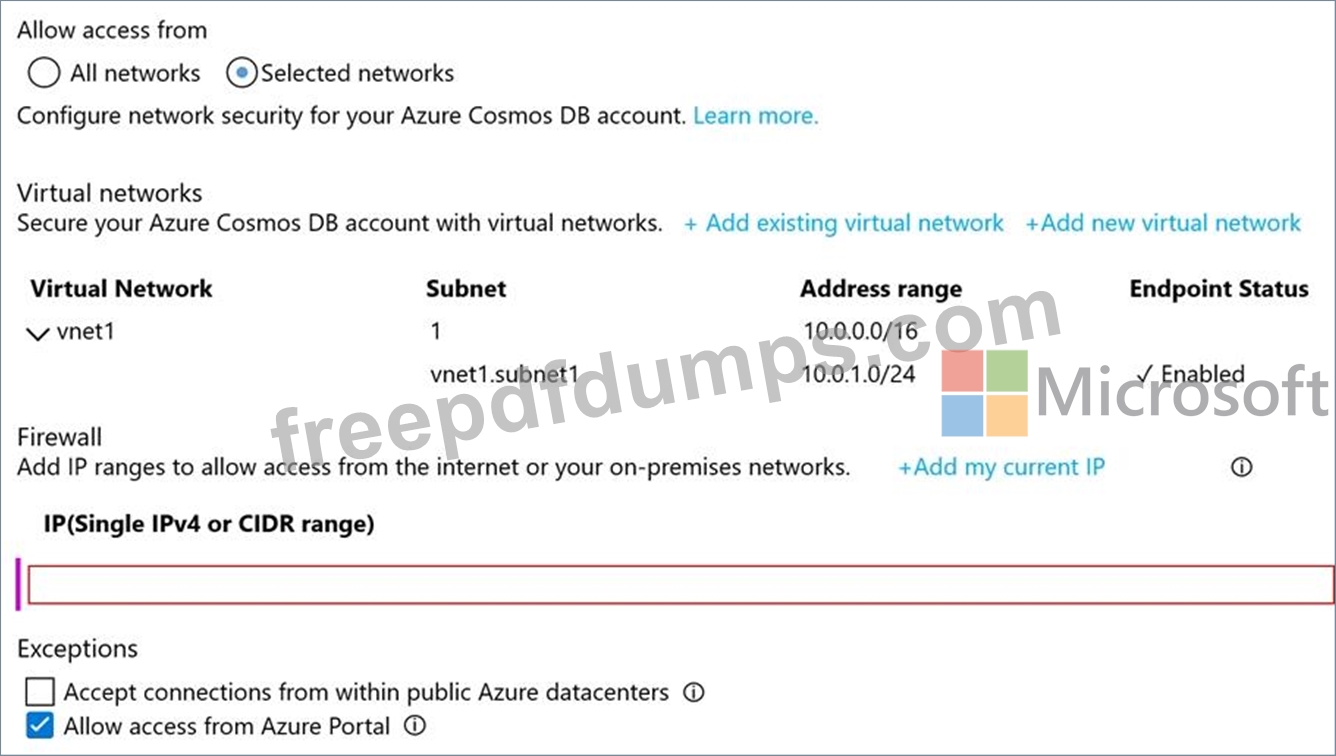
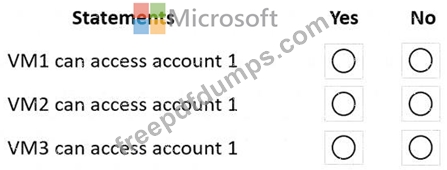
You have an Azure Cosmos DB Core (SQL) API account named account1. You have the Azure virtual networks and subnets shown in the following table. The vnet1 and vnet2 networks are connected by using a virtual network peer. The Firewall and virtual network settings for account1 are configured as shown in the exhibit. For each of the following statements, select Yes if the statement is true. Otherwise, select No. NOTE: Each correct selection is worth one point.
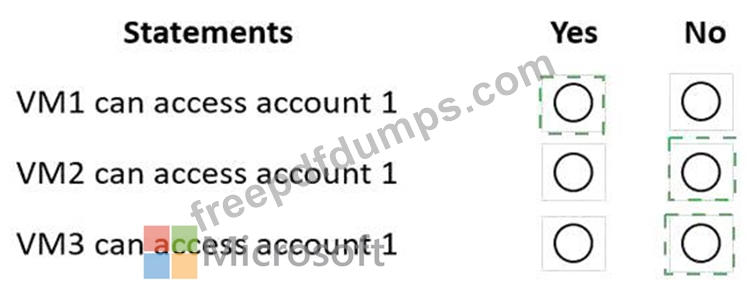
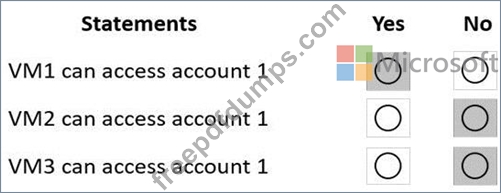
Correct Answer:
Explanation Box 1: Yes VM1 is on vnet1.subnet1 which has the Endpoint Status enabled. Box 2: No Only virtual network and their subnets added to Azure Cosmos account have access. Their peered VNets cannot access the account until the subnets within peered virtual networks are added to the account. Box 3: No Only virtual network and their subnets added to Azure Cosmos account have access. Reference: https://docs.microsoft.com/en-us/azure/cosmos-db/how-to-configure-vnet-service-endpoint
DP-420 Exam Question 44
You plan to store order data in Azure Cosmos DB for NoSQL account. The data contains information about orders and their associated items. You need to develop a model that supports order read operations. The solution must minimize the number or requests.
Correct Answer: B
Explanation Azure Cosmos DB is a multi-model database that supports various data models, such as documents, key-value, graph, and column-family3. The core content-model of Cosmos DB's database engine is based on atom-record-sequence (ARS), which allows it to store and query different types of data in a flexible and efficient way3. To develop a model that supports order read operations and minimizes the number of requests, you should consider the following factors: The size and shape of your data The frequency and complexity of your queries The latency and throughput requirements of your application The trade-offs between storage efficiency and query performance Based on these factors, one possible model that you could implement is B. Create a single database that contains one container. Create a separate document for each order and embed the order items into the order documents. This model has the following advantages: It stores orders and order items as self-contained documents that can be easily retrieved by order ID1. It avoids storing redundant data or creating additional containers for order items1. It allows you to view the order history of a customer with simple queries1. It leverages the benefits of embedding data, such as reducing the number of requests, improving query performance, and simplifying data consistency2. This model also has some limitations, such as: It may not be suitable for some order items that have data that is greater than 2 KB, as it could exceed the maximum document size limit of 2 MB2. It may not be optimal for scenarios where order items need to be queried independently from orders or aggregated by other criteria2. It may not support transactions across multiple orders or customers, as transactions are scoped to a single logical partition2. Depending on your specific use case and requirements, you may need to adjust this model or choose a different one. For example, you could use a hybrid data model that combines embedding and referencing data2 , or you could use a graph data model that expresses entities and relationships as vertices and edges.
DP-420 Exam Question 45
You have the following query. SELECT * FROM WHERE c.sensor = "TEMP1" AND c.value < 22 AND c.timestamp >= 1619146031231 You need to recommend a composite index strategy that will minimize the request units (RUs) consumed by the query. What should you recommend?
Correct Answer: A
Explanation If a query has a filter with two or more properties, adding a composite index will improve performance. Consider the following query: SELECT * FROM c WHERE c.name = "Tim" and c.age > 18 In the absence of a composite index on (name ASC, and age ASC), we will utilize a range index for this query. We can improve the efficiency of this query by creating a composite index for name and age. Queries with multiple equality filters and a maximum of one range filter (such as >,<, <=, >=, !=) will utilize the composite index. Reference: https://azure.microsoft.com/en-us/blog/three-ways-to-leverage-composite-indexes-in-azure-cosmos-db/