

MD-100 Exam Question 106
Please wait while the virtual machine loads. Once loaded, you may proceed to the lab section. This may take a few minutes, and the wait time will not be deducted from your overall test time.
When the Next button is available, click it to access the lab section. In this section, you will perform a set of tasks in a live environment. While most functionality will be available to you as it would be in a live environment, some functionality (e.g., copy and paste, ability to navigate to external websites) will not be possible by design.
Scoring is based on the outcome of performing the tasks stated in the lab. In other words, it doesn't matter how you accomplish the task, if you successfully perform it, you will earn credit for that task.
Labs are not timed separately, and this exam may more than one lab that you must complete. You can use as much time as you would like to complete each lab. But, you should manage your time appropriately to ensure that you are able to complete the lab(s) and all other sections of the exam in the time provided.
Please note that once you submit your work by clicking the Next button within a lab, you will NOT be able to return to the lab.
Username and password
Use the following login credentials as needed:
To enter your password, place your cursor in the Enter password box and click on the password below.
Username: Contoso/Administrator
Password: Passw0rd!
The following information is for technical support purposes only:
Lab Instance: 10921597
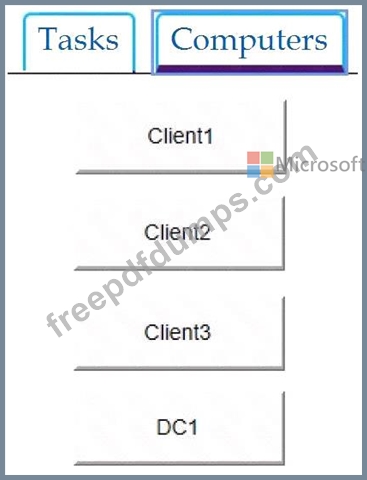
You need to identify the total number of events that have Event ID 63 in the Application event log. You must type the number of identified events into C:\Folder1\FileA.txt.
To complete this task, sign in to the required computer or computers and perform the required action.
When the Next button is available, click it to access the lab section. In this section, you will perform a set of tasks in a live environment. While most functionality will be available to you as it would be in a live environment, some functionality (e.g., copy and paste, ability to navigate to external websites) will not be possible by design.
Scoring is based on the outcome of performing the tasks stated in the lab. In other words, it doesn't matter how you accomplish the task, if you successfully perform it, you will earn credit for that task.
Labs are not timed separately, and this exam may more than one lab that you must complete. You can use as much time as you would like to complete each lab. But, you should manage your time appropriately to ensure that you are able to complete the lab(s) and all other sections of the exam in the time provided.
Please note that once you submit your work by clicking the Next button within a lab, you will NOT be able to return to the lab.
Username and password
Use the following login credentials as needed:
To enter your password, place your cursor in the Enter password box and click on the password below.
Username: Contoso/Administrator
Password: Passw0rd!
The following information is for technical support purposes only:
Lab Instance: 10921597
You need to identify the total number of events that have Event ID 63 in the Application event log. You must type the number of identified events into C:\Folder1\FileA.txt.
To complete this task, sign in to the required computer or computers and perform the required action.
MD-100 Exam Question 107
You have a public computer named Computer1 that runs Windows 10/ Computer1 contains a folder named Folder1.
You need to provide a user named User1 with the ability to modify the permissions of Folder1. The solution must use the principle of least privilege.
Which NTFS permission should you assign to User1?
You need to provide a user named User1 with the ability to modify the permissions of Folder1. The solution must use the principle of least privilege.
Which NTFS permission should you assign to User1?
MD-100 Exam Question 108
You have a computer that runs Windows 11 and has Windows Sandbox enabled. You need to create a custom Windows Sandbox configuration file. Which file extension should you use?
MD-100 Exam Question 109
You have a computer that is configured as shown in the following exhibit.

What can the computer connect to?
What can the computer connect to?
MD-100 Exam Question 110
Note: This question is part of a series of questions that present the same scenario. Each question in the series contains a unique solution that might meet the stated goals. Some question sets might have more than one correct solution, while others might not have a correct solution.
After you answer a question in this section, you will NOT be able to return to it. As a result, these questions will not appear in the review screen.
You have a computer named Computer1 that runs Windows 10.
You test Windows updates on Computer1 before you make the updates available to other users at your company.
You install a quality update that conflicts with a customer device driver.
You need to remove the update from Computer1.
Solution: From System Restore, you revert the system state to a restore point that was created before the update was installed.
Does this meet the goal?
After you answer a question in this section, you will NOT be able to return to it. As a result, these questions will not appear in the review screen.
You have a computer named Computer1 that runs Windows 10.
You test Windows updates on Computer1 before you make the updates available to other users at your company.
You install a quality update that conflicts with a customer device driver.
You need to remove the update from Computer1.
Solution: From System Restore, you revert the system state to a restore point that was created before the update was installed.
Does this meet the goal?