MS-100 Exam Question 66
You have a Microsoft 365 subscription that uses an Azure Active Directory (Azure AD) tenant named contoso.com.
A temporary employee at your company uses an email address of [email protected].
You need to ensure that the temporary employee can sign in to contoso.com by using the [email protected] account.
What should you do?
A temporary employee at your company uses an email address of [email protected].
You need to ensure that the temporary employee can sign in to contoso.com by using the [email protected] account.
What should you do?
MS-100 Exam Question 67
You have a Microsoft 365 Enterprise E5 subscription.
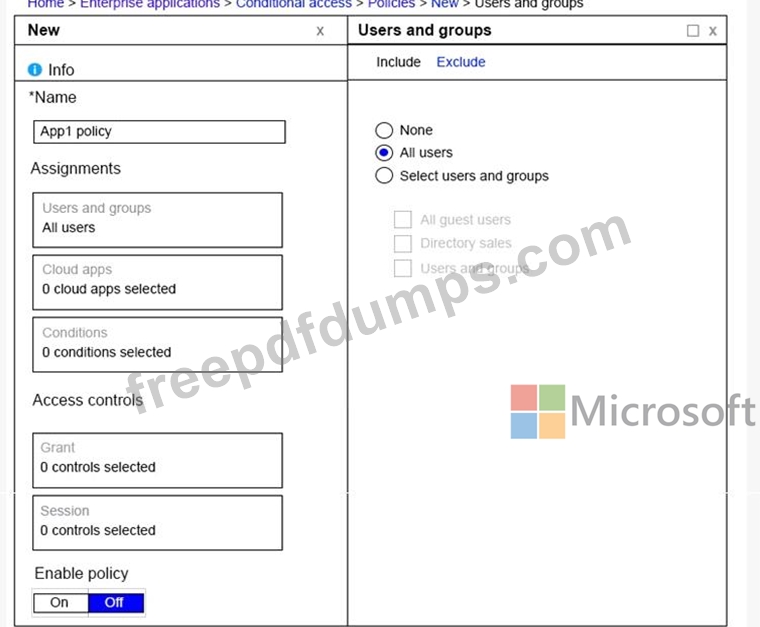
You add a cloud-based app named App1 to the Microsoft Azure Active Directory (Azure AD) enterprise applications list.
You need to ensure that two-step verification is enforced for all user accounts the next time they connect to App1.
Which three settings should you configure from the policy? To answer, select the appropriate settings in the answer area.
You add a cloud-based app named App1 to the Microsoft Azure Active Directory (Azure AD) enterprise applications list.
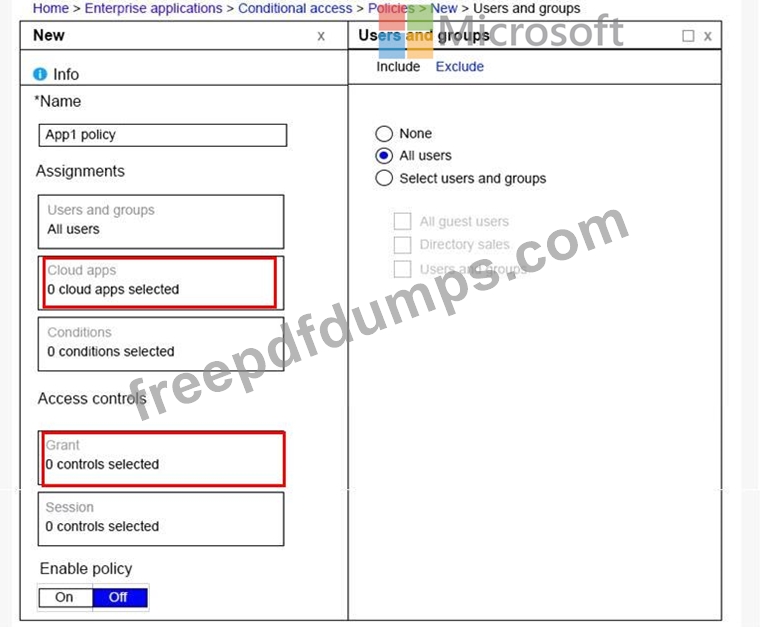
You need to ensure that two-step verification is enforced for all user accounts the next time they connect to App1.
Which three settings should you configure from the policy? To answer, select the appropriate settings in the answer area.
MS-100 Exam Question 68
You have a Microsoft 365 subscription that contains a Microsoft Azure Active Directory (Azure AD) tenant named contoso.com.
In the tenant, you create a user named User1.
You need to ensure that User1 can publish retention labels from the Security & Compliance admin center. The solution must use the principle of least privilege.
To which role group should you add User1?
In the tenant, you create a user named User1.
You need to ensure that User1 can publish retention labels from the Security & Compliance admin center. The solution must use the principle of least privilege.
To which role group should you add User1?
MS-100 Exam Question 69
You have a Microsoft 365 subscription that uses a default named contoso.com.
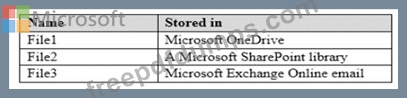
Three files were created on February 1, 2019, as shown in the following table.
On March 1, 2019, you create two retention labels named Label1 and label2.
The settings for Label1 are configured as shown in the Label1 exhibit. (Click the Label1 tab.) Label 1
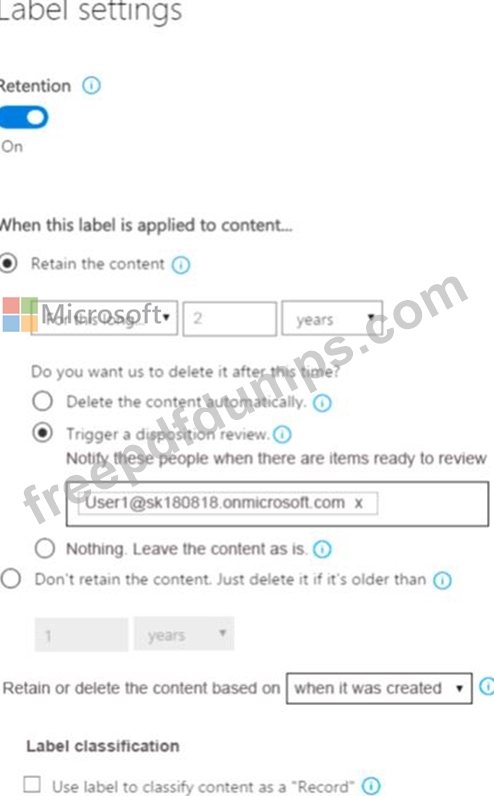
The settings for Label2 are configured as shown in the Label1 exhibit. (Click the Label2 tab.) Label 2

You apply the retention labels to Exchange email, SharePoint sites, and OneDrive accounts.
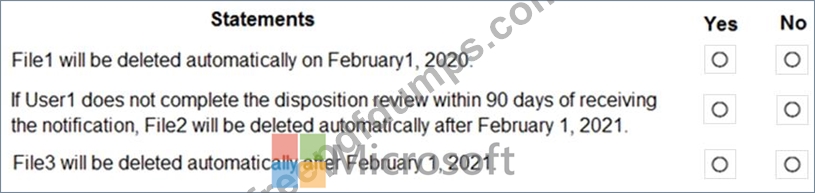
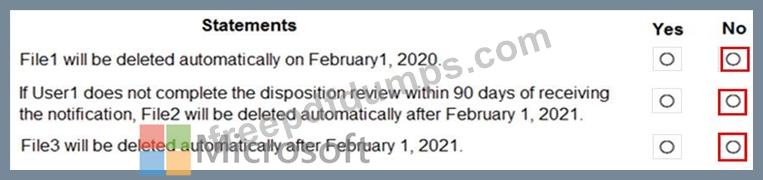
For each of the following statements, select Yes if the statement is true. Otherwise, select No.
NOTE: Each correct selection is worth one point.
Three files were created on February 1, 2019, as shown in the following table.
On March 1, 2019, you create two retention labels named Label1 and label2.
The settings for Label1 are configured as shown in the Label1 exhibit. (Click the Label1 tab.) Label 1
The settings for Label2 are configured as shown in the Label1 exhibit. (Click the Label2 tab.) Label 2
You apply the retention labels to Exchange email, SharePoint sites, and OneDrive accounts.
For each of the following statements, select Yes if the statement is true. Otherwise, select No.
NOTE: Each correct selection is worth one point.
MS-100 Exam Question 70
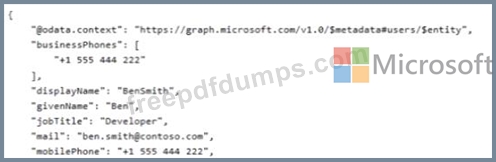
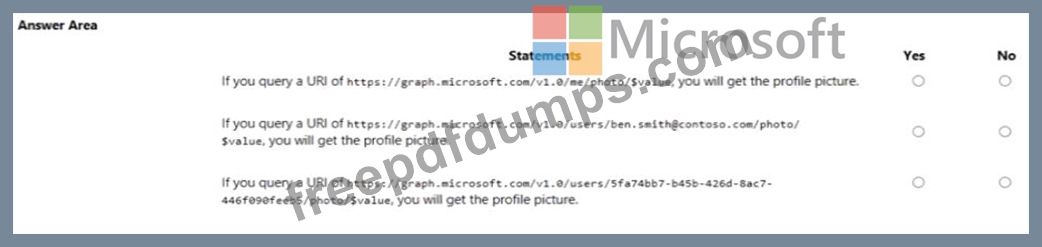
You receive the following JSON document when you use Microsoft Graph to query the current signed-in user.