MS-203 Exam Question 96
You have a hybrid deployment of Microsoft Exchange Server 2019.
Users in your company's sales department have on-premises mailboxes and PST files.
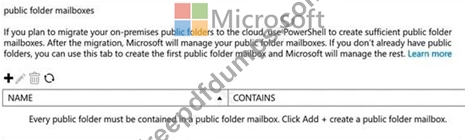
You need to migrate the PST files to archive mailboxes. The archive mailboxes must reside in Exchange Online.
What should you do first?
Users in your company's sales department have on-premises mailboxes and PST files.
You need to migrate the PST files to archive mailboxes. The archive mailboxes must reside in Exchange Online.
What should you do first?
MS-203 Exam Question 97
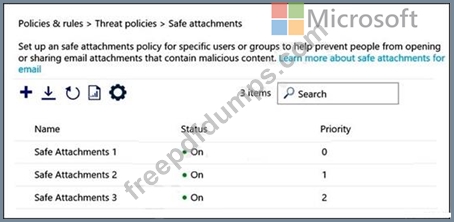
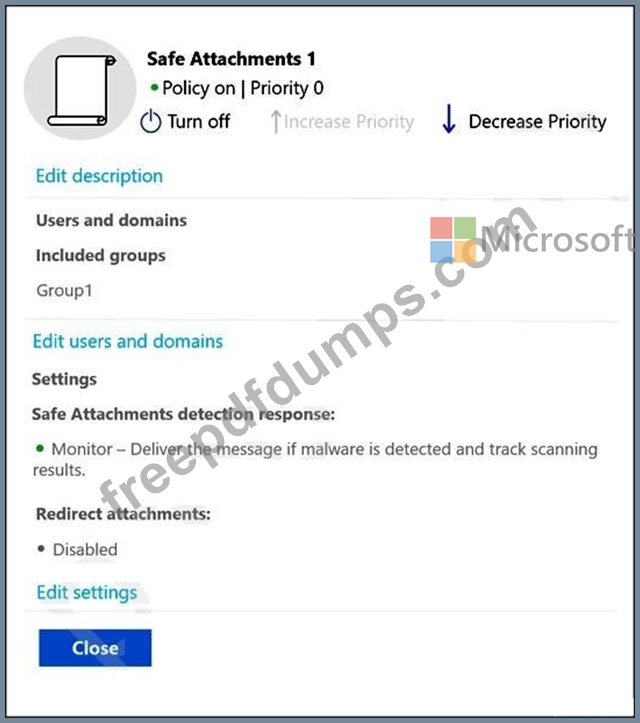
You need to modify FilesPolicy to prevent users from downloading ASPX files. The solution must meet the technical requirements.
How should you complete the command? To answer, select the appropriate options in the answer area.
NOTE: Each correct selection is worth one point.

How should you complete the command? To answer, select the appropriate options in the answer area.
NOTE: Each correct selection is worth one point.






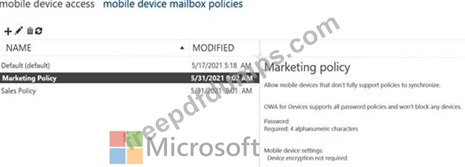
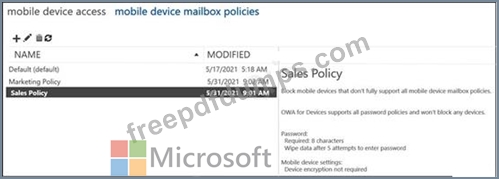
MS-203 Exam Question 98
Please wait while the virtual machine loads. Once loaded, you may proceed to the lab section. This may take a few minutes, and the wait time will not be deducted from your overall test time.
When the Next button is available, click it to access the lab section. In this section, you will perform a set of tasks in a live environment. While most functionality will be available to you as it would be in a live environment, some functionality (e.g., copy and paste, ability to navigate to external websites) will not be possible by design.
Scoring is based on the outcome of performing the tasks stated in the lab. In other words, it doesn't matter how you accomplish the task, if you successfully perform it, you will earn credit for that task.
Labs are not timed separately, and this exam may have more than one lab that you must complete. You can use as much time as you would like to complete each lab. But, you should manage your time appropriately to ensure that you are able to complete the lab(s) and all other sections of the exam in the time provided.
Please note that once you submit your work by clicking the Next button within a lab, you will NOT be able to return to the lab.
Use the following login credentials as needed:
To enter your username, place your cursor in the Sign in box and click on the username below.
To enter your password, place your cursor in the Enter password box and click on the password below.
Microsoft 365 Username: [email protected]
Microsoft 365 Password: xxxxxx
If the Microsoft 365 portal does not load successfully in the browser, press CTRL-K to reload the portal in a new browser tab.
The following information is for technical support purposes only.
Lab Instance: XXXXXX
You need to ensure that the users in your company can schedule a conference room named Room1 in the company's office by using Microsoft Outlook.
To complete this task, sign in to the Exchange admin center.
When the Next button is available, click it to access the lab section. In this section, you will perform a set of tasks in a live environment. While most functionality will be available to you as it would be in a live environment, some functionality (e.g., copy and paste, ability to navigate to external websites) will not be possible by design.
Scoring is based on the outcome of performing the tasks stated in the lab. In other words, it doesn't matter how you accomplish the task, if you successfully perform it, you will earn credit for that task.
Labs are not timed separately, and this exam may have more than one lab that you must complete. You can use as much time as you would like to complete each lab. But, you should manage your time appropriately to ensure that you are able to complete the lab(s) and all other sections of the exam in the time provided.
Please note that once you submit your work by clicking the Next button within a lab, you will NOT be able to return to the lab.
Use the following login credentials as needed:
To enter your username, place your cursor in the Sign in box and click on the username below.
To enter your password, place your cursor in the Enter password box and click on the password below.
Microsoft 365 Username: [email protected]
Microsoft 365 Password: xxxxxx
If the Microsoft 365 portal does not load successfully in the browser, press CTRL-K to reload the portal in a new browser tab.
The following information is for technical support purposes only.
Lab Instance: XXXXXX
You need to ensure that the users in your company can schedule a conference room named Room1 in the company's office by using Microsoft Outlook.
To complete this task, sign in to the Exchange admin center.
MS-203 Exam Question 99
You have a Microsoft Exchange Server 2019 organization.
The recovery options for a user named User1 are configured as shown in the following exhibit.
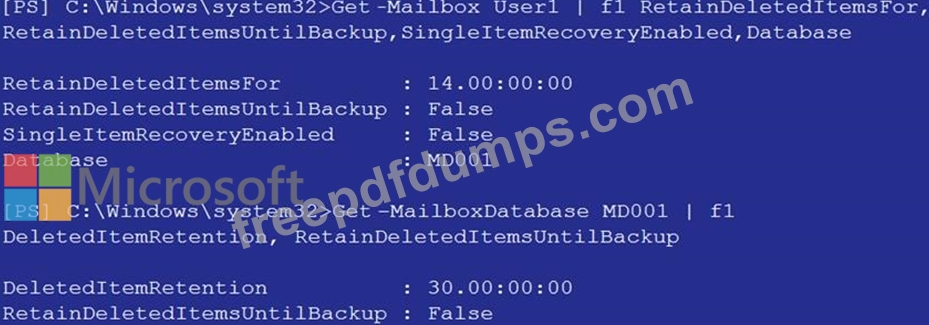
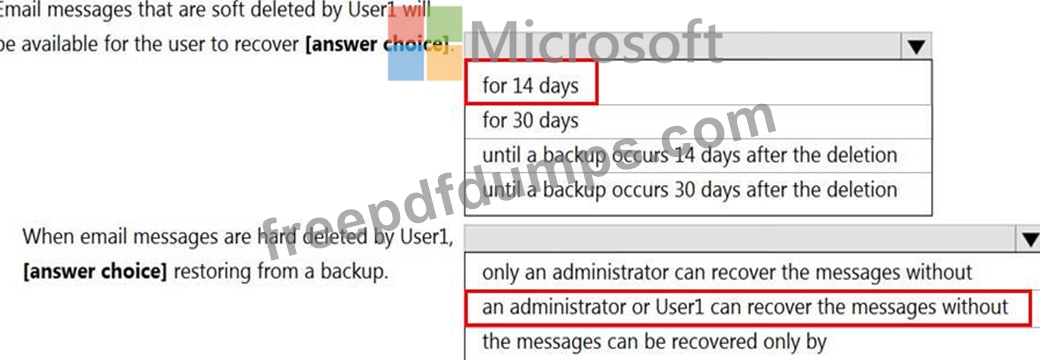
Use the drop-down menus to select the answer choice that completes each statement based on the information presented in the graphic.
NOTE: Each correct selection is worth one point.
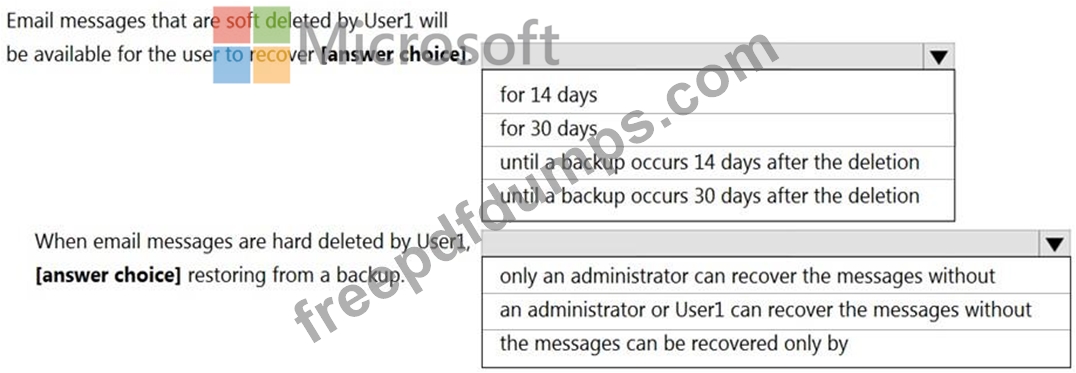
The recovery options for a user named User1 are configured as shown in the following exhibit.
Use the drop-down menus to select the answer choice that completes each statement based on the information presented in the graphic.
NOTE: Each correct selection is worth one point.
MS-203 Exam Question 100
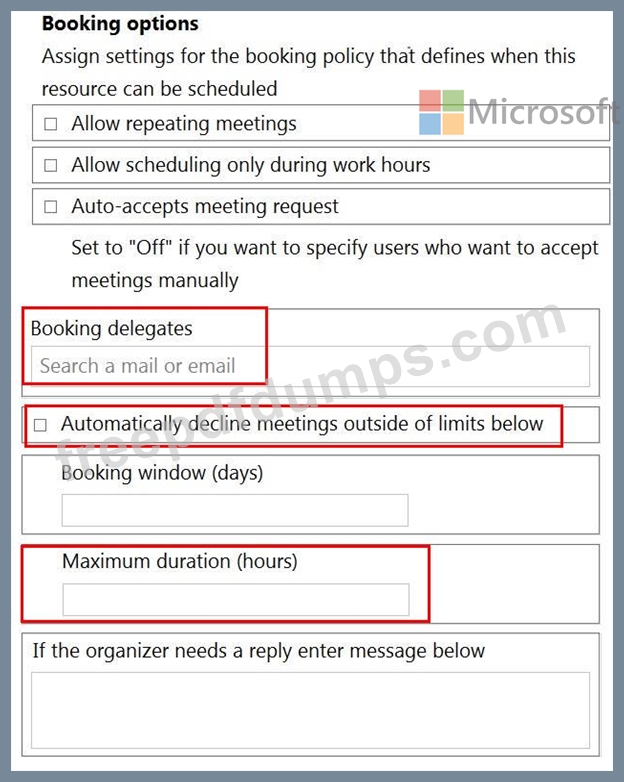
You need to configure the new smartboard to support the planned changes.
Which three settings should you configure? To answer, select the appropriate settings in the answer area.
NOTE: Each correct selection is worth one point.

Which three settings should you configure? To answer, select the appropriate settings in the answer area.
NOTE: Each correct selection is worth one point.