

MS-700 Exam Question 71
Your company has a Microsoft 365 tenant.
Guest users report that they cannot access files or Microsoft OneNote from Microsoft Teams. The guest users can access channels, chats, and conversations.
You need to ensure that the guest users can access the files and OneNote from Microsoft Teams.
For what should you configure external sharing?
Guest users report that they cannot access files or Microsoft OneNote from Microsoft Teams. The guest users can access channels, chats, and conversations.
You need to ensure that the guest users can access the files and OneNote from Microsoft Teams.
For what should you configure external sharing?
MS-700 Exam Question 72
You have a Microsoft 365 E5 subscription that has Phone System enabled for all Microsoft Teams users.
You need to configure the Phone System to meet the following requirements:
Provide a virtual receptionist that connects callers to either a specific user or the help desk.
Route calls to the help desk on a First in, First out (FIFO) order.
Which two resources should you create? Each correct answer presents part of the solution.
NOTE: Each correct selection is worth one point.
You need to configure the Phone System to meet the following requirements:
Provide a virtual receptionist that connects callers to either a specific user or the help desk.
Route calls to the help desk on a First in, First out (FIFO) order.
Which two resources should you create? Each correct answer presents part of the solution.
NOTE: Each correct selection is worth one point.
MS-700 Exam Question 73
You open the Microsoft Call Quality Dashboard as shown in the following exhibit.
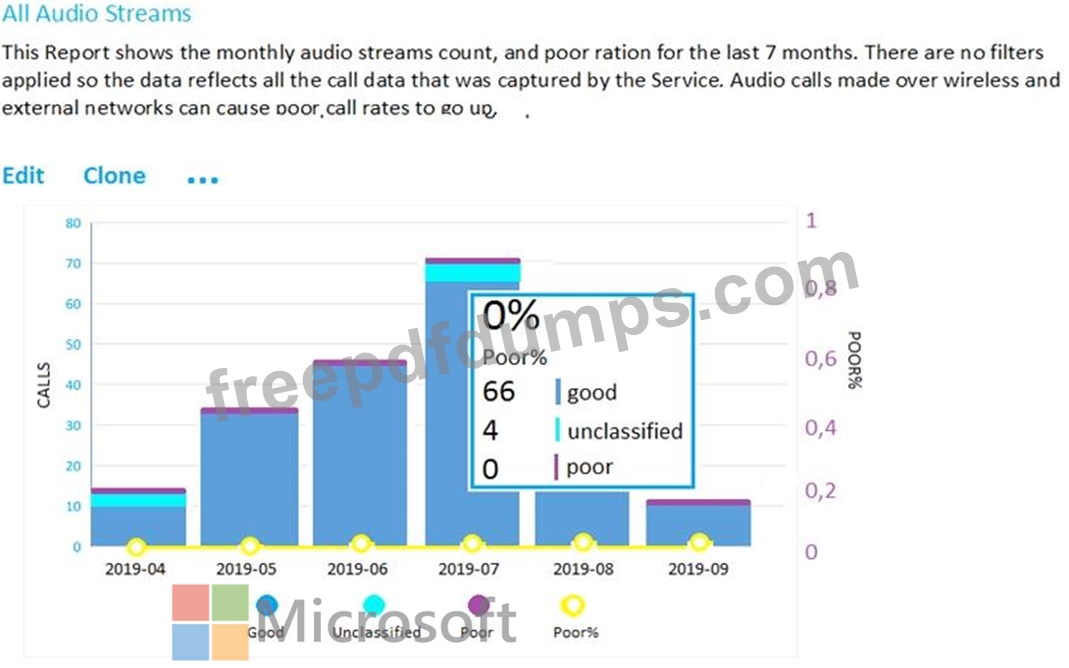
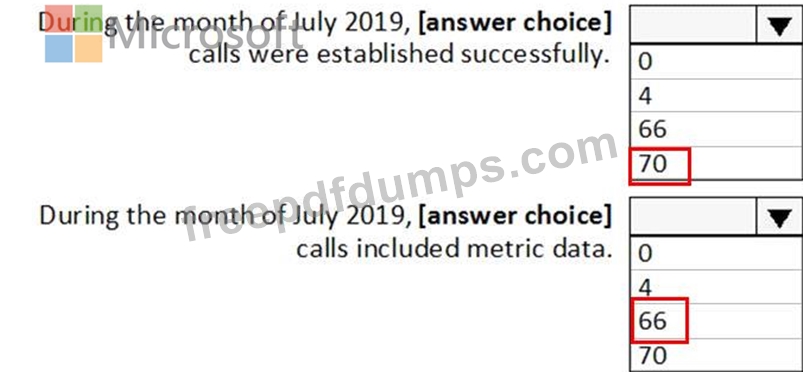
Use the drop-down menus to select the answer choice that completes each statement based on the information presented in the graphic.
NOTE: Each correct selection is worth one point.
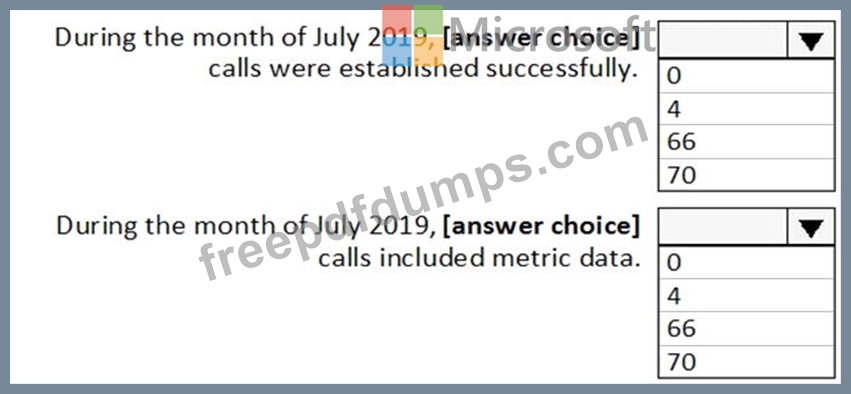
Use the drop-down menus to select the answer choice that completes each statement based on the information presented in the graphic.
NOTE: Each correct selection is worth one point.
MS-700 Exam Question 74
Note: This question is part of a series of questions that present the same scenario. Each question in the series contains a unique solution that might meet the stated goals. Some question sets might have more than one correct solution, while others might not have a correct solution.
After you answer a question in this section, you will NOT be able to return to it. As a result, these questions will not appear in the review screen.
Your company has a Microsoft 365 subscription that uses an Azure Active Directory (Azure AD) tenant named contoso.com.
You need to prevent guest users in the tenant from using cameras during Microsoft Teams meetings.
Solution: From the Microsoft 365 admin center, you modify the Sharing settings.
Does this meet the goal?
After you answer a question in this section, you will NOT be able to return to it. As a result, these questions will not appear in the review screen.
Your company has a Microsoft 365 subscription that uses an Azure Active Directory (Azure AD) tenant named contoso.com.
You need to prevent guest users in the tenant from using cameras during Microsoft Teams meetings.
Solution: From the Microsoft 365 admin center, you modify the Sharing settings.
Does this meet the goal?
MS-700 Exam Question 75
You are Microsoft Teams administrator for your company.
You have the Org-wide app settings shown in the App Settings exhibit. (Click the App Settings tab.)
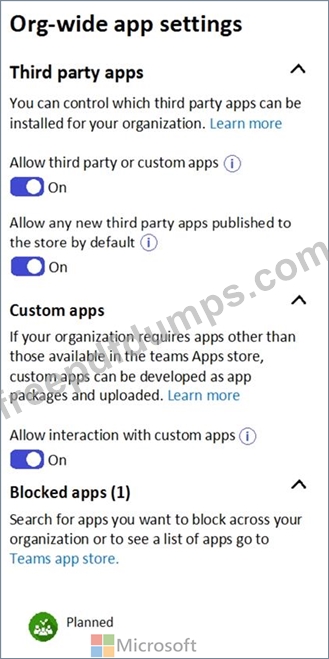
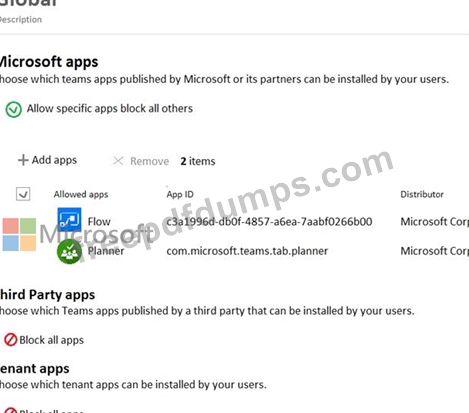
The company's global app permission policy is configured as shown in the Permission Policy exhibit. (Click the Permission Policy tab.)
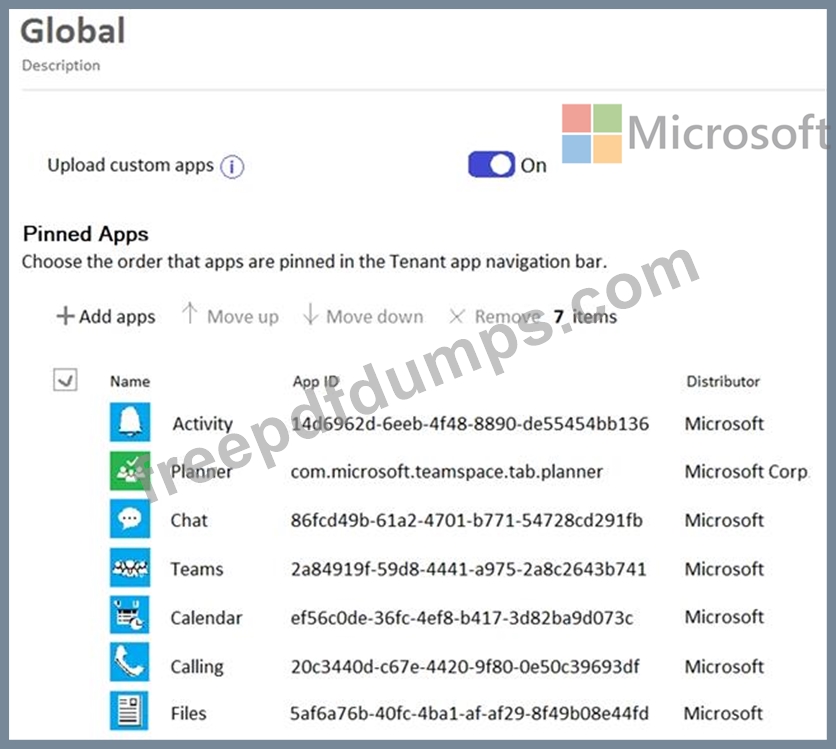
The company's global app setup policy is configured as shown in the Setup Policy exhibit. (Click the Setup Policy tab.)
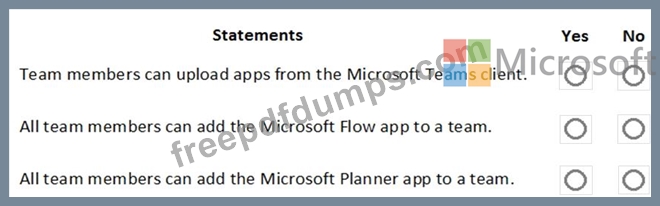
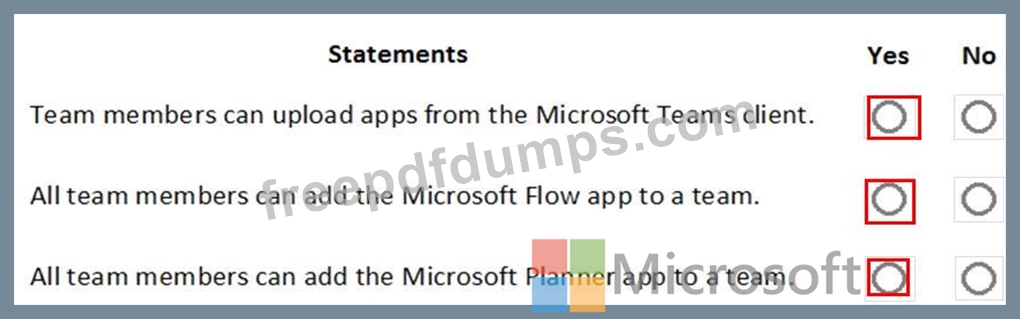
For each of the following statements, select Yes if the statement is true. Otherwise, select No.
NOTE: Each correct selection is worth one point.
You have the Org-wide app settings shown in the App Settings exhibit. (Click the App Settings tab.)
The company's global app permission policy is configured as shown in the Permission Policy exhibit. (Click the Permission Policy tab.)
The company's global app setup policy is configured as shown in the Setup Policy exhibit. (Click the Setup Policy tab.)
For each of the following statements, select Yes if the statement is true. Otherwise, select No.
NOTE: Each correct selection is worth one point.
Premium Bundle
Newest MS-700 Exam PDF Dumps shared by Actual4test.com for Helping Passing MS-700 Exam! Actual4test.com now offer the updated MS-700 exam dumps, the Actual4test.com MS-700 exam questions have been updated and answers have been corrected get the latest Actual4test.com MS-700 pdf dumps with Exam Engine here:
(424 Q&As Dumps, 30%OFF Special Discount: Freepdfdumps)