

CKS Exam Question 1
You can switch the cluster/configuration context using the following command:
[desk@cli] $ kubectl config use-context prod-account
Context:
A Role bound to a Pod's ServiceAccount grants overly permissive permissions. Complete the following tasks to reduce the set of permissions.
Task:
Given an existing Pod named web-pod running in the namespace database.
1. Edit the existing Role bound to the Pod's ServiceAccount test-sa to only allow performing get operations, only on resources of type Pods.
2. Create a new Role named test-role-2 in the namespace database, which only allows performing update operations, only on resources of type statuefulsets.
3. Create a new RoleBinding named test-role-2-bind binding the newly created Role to the Pod's ServiceAccount.
Note: Don't delete the existing RoleBinding.
[desk@cli] $ kubectl config use-context prod-account
Context:
A Role bound to a Pod's ServiceAccount grants overly permissive permissions. Complete the following tasks to reduce the set of permissions.
Task:
Given an existing Pod named web-pod running in the namespace database.
1. Edit the existing Role bound to the Pod's ServiceAccount test-sa to only allow performing get operations, only on resources of type Pods.
2. Create a new Role named test-role-2 in the namespace database, which only allows performing update operations, only on resources of type statuefulsets.
3. Create a new RoleBinding named test-role-2-bind binding the newly created Role to the Pod's ServiceAccount.
Note: Don't delete the existing RoleBinding.
CKS Exam Question 2
Fix all issues via configuration and restart the affected components to ensure the new setting takes effect.
Fix all of the following violations that were found against the API server:- a. Ensure that the RotateKubeletServerCertificate argument is set to true.
b. Ensure that the admission control plugin PodSecurityPolicy is set.
c. Ensure that the --kubelet-certificate-authority argument is set as appropriate.
Fix all of the following violations that were found against the Kubelet:- a. Ensure the --anonymous-auth argument is set to false.
b. Ensure that the --authorization-mode argument is set to Webhook.
Fix all of the following violations that were found against the ETCD:-
a. Ensure that the --auto-tls argument is not set to true
b. Ensure that the --peer-auto-tls argument is not set to true
Hint: Take the use of Tool Kube-Bench
Fix all of the following violations that were found against the API server:- a. Ensure that the RotateKubeletServerCertificate argument is set to true.
b. Ensure that the admission control plugin PodSecurityPolicy is set.
c. Ensure that the --kubelet-certificate-authority argument is set as appropriate.
Fix all of the following violations that were found against the Kubelet:- a. Ensure the --anonymous-auth argument is set to false.
b. Ensure that the --authorization-mode argument is set to Webhook.
Fix all of the following violations that were found against the ETCD:-
a. Ensure that the --auto-tls argument is not set to true
b. Ensure that the --peer-auto-tls argument is not set to true
Hint: Take the use of Tool Kube-Bench
CKS Exam Question 3
SIMULATION
Create a network policy named restrict-np to restrict to pod nginx-test running in namespace testing.
Only allow the following Pods to connect to Pod nginx-test:-
1. pods in the namespace default
2. pods with label version:v1 in any namespace.
Make sure to apply the network policy.
Create a network policy named restrict-np to restrict to pod nginx-test running in namespace testing.
Only allow the following Pods to connect to Pod nginx-test:-
1. pods in the namespace default
2. pods with label version:v1 in any namespace.
Make sure to apply the network policy.
CKS Exam Question 4
Cluster: scanner
Master node: controlplane
Worker node: worker1
You can switch the cluster/configuration context using the following command:
[desk@cli] $ kubectl config use-context scanner
Given:
You may use Trivy's documentation.
Task:
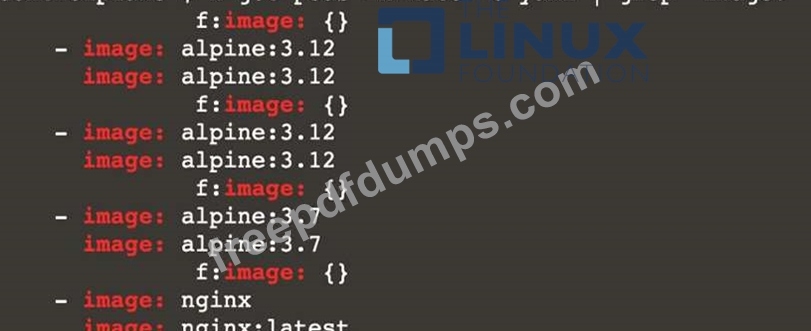
Use the Trivy open-source container scanner to detect images with severe vulnerabilities used by Pods in the namespace nato.
Look for images with High or Critical severity vulnerabilities and delete the Pods that use those images.
Trivy is pre-installed on the cluster's master node. Use cluster's master node to use Trivy.
Master node: controlplane
Worker node: worker1
You can switch the cluster/configuration context using the following command:
[desk@cli] $ kubectl config use-context scanner
Given:
You may use Trivy's documentation.
Task:
Use the Trivy open-source container scanner to detect images with severe vulnerabilities used by Pods in the namespace nato.
Look for images with High or Critical severity vulnerabilities and delete the Pods that use those images.
Trivy is pre-installed on the cluster's master node. Use cluster's master node to use Trivy.
CKS Exam Question 5
Create a Pod name Nginx-pod inside the namespace testing, Create a service for the Nginx-pod named nginx-svc, using the ingress of your choice, run the ingress on tls, secure port.