

MD-100 Exam Question 56
You have a Microsoft Azure Active Directory (Azure AD) tenant.
Some users signs in to that computer by using Windows hello for Business.
A user User1 purchases a new computer and joins the computer to Azure AD.
User1 attempts to configure the sign-in options and receives the error message shown in the exhibit. (Click the Exhibit tab.)

You open device Manager and confirmed that all the hardware works correctly.
You need to ensure that user1 can use Windows Hello for Business facial recognition to sign in to the computer.
What should you do first.
Some users signs in to that computer by using Windows hello for Business.
A user User1 purchases a new computer and joins the computer to Azure AD.
User1 attempts to configure the sign-in options and receives the error message shown in the exhibit. (Click the Exhibit tab.)
You open device Manager and confirmed that all the hardware works correctly.
You need to ensure that user1 can use Windows Hello for Business facial recognition to sign in to the computer.
What should you do first.
MD-100 Exam Question 57
You have a workgroup computer that runs Windows 10.
You need to set the minimum password length to 12 characters.
What should you use?
You need to set the minimum password length to 12 characters.
What should you use?
MD-100 Exam Question 58
Your network contains an Active Directory domain. The domain contains 1,000 computers that run Windows
10.
A user reports that his computer has a compatibility issue with the latest Windows 10 feature update.
You need to prevent other computers from installing the feature update for 10 days while you mitigate the issue.
Which Windows Update setting should you configure by using a Group Policy Object (GPO)?
10.
A user reports that his computer has a compatibility issue with the latest Windows 10 feature update.
You need to prevent other computers from installing the feature update for 10 days while you mitigate the issue.
Which Windows Update setting should you configure by using a Group Policy Object (GPO)?
MD-100 Exam Question 59
A user has a computer that runs Windows 10.
When the user connects the computer to the corporate network, the user cannot access the internal corporate servers. The user can access servers on the Internet.
You run the ipconfig command and receive the following output.

You send a ping request and successfully ping the default gateway, the DNS servers, and the DHCP server.
Which configuration on the computer causes the issue?
When the user connects the computer to the corporate network, the user cannot access the internal corporate servers. The user can access servers on the Internet.
You run the ipconfig command and receive the following output.
You send a ping request and successfully ping the default gateway, the DNS servers, and the DHCP server.
Which configuration on the computer causes the issue?
MD-100 Exam Question 60
Please wait while the virtual machine loads. Once loaded, you may proceed to the lab section. This may take a few minutes, and the wait time will not be deducted from your overall test time.
When the Next button is available, click it to access the lab section. In this section, you will perform a set of tasks in a live environment. While most functionality will be available to you as it would be in a live environment, some functionality (e.g., copy and paste, ability to navigate to external websites) will not be possible by design.
Scoring is based on the outcome of performing the tasks stated in the lab. In other words, it doesn't matter how you accomplish the task, if you successfully perform it, you will earn credit for that task.
Labs are not timed separately, and this exam may more than one lab that you must complete. You can use as much time as you would like to complete each lab. But, you should manage your time appropriately to ensure that you are able to complete the lab(s) and all other sections of the exam in the time provided.
Please note that once you submit your work by clicking the Next button within a lab, you will NOT be able to return to the lab.
Username and password
Use the following login credentials as needed:
To enter your password, place your cursor in the Enter password box and click on the password below.
Username: Contoso/Administrator
Password: Passw0rd!
The following information is for technical support purposes only:
Lab Instance: 11145882

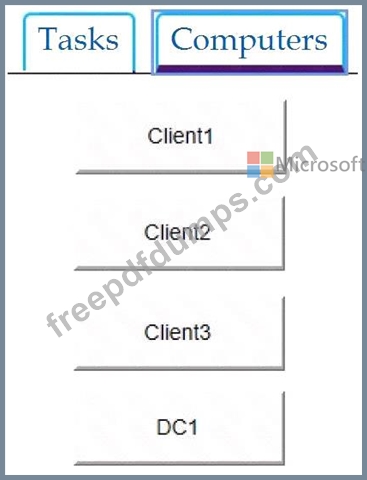
Users in the Finance group report that they cannot copy files to Client1\Finance.
You need to resolve the issue.
To complete this task, sign in to the required computer or computers.
When the Next button is available, click it to access the lab section. In this section, you will perform a set of tasks in a live environment. While most functionality will be available to you as it would be in a live environment, some functionality (e.g., copy and paste, ability to navigate to external websites) will not be possible by design.
Scoring is based on the outcome of performing the tasks stated in the lab. In other words, it doesn't matter how you accomplish the task, if you successfully perform it, you will earn credit for that task.
Labs are not timed separately, and this exam may more than one lab that you must complete. You can use as much time as you would like to complete each lab. But, you should manage your time appropriately to ensure that you are able to complete the lab(s) and all other sections of the exam in the time provided.
Please note that once you submit your work by clicking the Next button within a lab, you will NOT be able to return to the lab.
Username and password
Use the following login credentials as needed:
To enter your password, place your cursor in the Enter password box and click on the password below.
Username: Contoso/Administrator
Password: Passw0rd!
The following information is for technical support purposes only:
Lab Instance: 11145882
Users in the Finance group report that they cannot copy files to Client1\Finance.
You need to resolve the issue.
To complete this task, sign in to the required computer or computers.