

MD-100 Exam Question 61
You plan to deploy Windows 10 Enterprise to company-owned devices.
You capture a Windows 10 image file from a reference device.
You need to generate catalog files and answer files for the deployment.
What should you use for each file? To answer, select the appropriate options in the answer area.
NOTE: Each correct selection is worth one point.

You capture a Windows 10 image file from a reference device.
You need to generate catalog files and answer files for the deployment.
What should you use for each file? To answer, select the appropriate options in the answer area.
NOTE: Each correct selection is worth one point.


MD-100 Exam Question 62
You have a computer named Computer1 that runs Windows 10.
On Computer1, you create a VPN connection as shown in the following exhibit.

The corporate network contains a single IP subnet.
Use the drop-down menus to select the answer choice that completes each statement based on the information presented in the graphic.
NOTE: Each correct selection is worth one point.

On Computer1, you create a VPN connection as shown in the following exhibit.
The corporate network contains a single IP subnet.
Use the drop-down menus to select the answer choice that completes each statement based on the information presented in the graphic.
NOTE: Each correct selection is worth one point.


MD-100 Exam Question 63
Your network contains an Active directory domain. The domain contains 1,000 computers that run Windows
10.
You need to prevent computers of the research department from appearing in network in File Explorer.
What should you do?
10.
You need to prevent computers of the research department from appearing in network in File Explorer.
What should you do?
MD-100 Exam Question 64
Please wait while the virtual machine loads. Once loaded, you may proceed to the lab section. This may take a few minutes, and the wait time will not be deducted from your overall test time.
When the Next button is available, click it to access the lab section. In this section, you will perform a set of tasks in a live environment. While most functionality will be available to you as it would be in a live environment, some functionality (e.g., copy and paste, ability to navigate to external websites) will not be possible by design.
Scoring is based on the outcome of performing the tasks stated in the lab. In other words, it doesn't matter how you accomplish the task, if you successfully perform it, you will earn credit for that task.
Labs are not timed separately, and this exam may more than one lab that you must complete. You can use as much time as you would like to complete each lab. But, you should manage your time appropriately to ensure that you are able to complete the lab(s) and all other sections of the exam in the time provided.
Please note that once you submit your work by clicking the Next button within a lab, you will NOT be able to return to the lab.
Username and password
Use the following login credentials as needed:
To enter your password, place your cursor in the Enter password box and click on the password below.
Username: Contoso/Administrator
Password: Passw0rd!
The following information is for technical support purposes only:
Lab Instance: 11145882

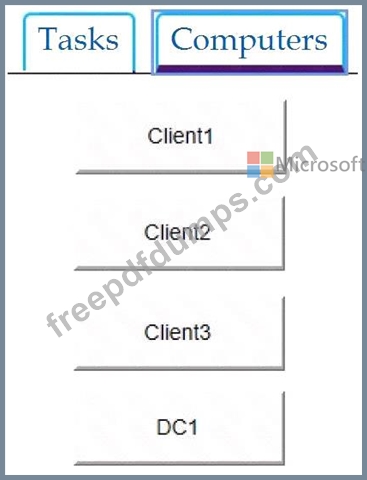
You need to create an HTML report that shows which policies and policy settings are applied to CONTOSO\User1 on Client1. You must save the output to a file named Report.html in a folder named Folder1 on the C drive of Client1.
To complete this task, sign in to the required computer or computers.
When the Next button is available, click it to access the lab section. In this section, you will perform a set of tasks in a live environment. While most functionality will be available to you as it would be in a live environment, some functionality (e.g., copy and paste, ability to navigate to external websites) will not be possible by design.
Scoring is based on the outcome of performing the tasks stated in the lab. In other words, it doesn't matter how you accomplish the task, if you successfully perform it, you will earn credit for that task.
Labs are not timed separately, and this exam may more than one lab that you must complete. You can use as much time as you would like to complete each lab. But, you should manage your time appropriately to ensure that you are able to complete the lab(s) and all other sections of the exam in the time provided.
Please note that once you submit your work by clicking the Next button within a lab, you will NOT be able to return to the lab.
Username and password
Use the following login credentials as needed:
To enter your password, place your cursor in the Enter password box and click on the password below.
Username: Contoso/Administrator
Password: Passw0rd!
The following information is for technical support purposes only:
Lab Instance: 11145882
You need to create an HTML report that shows which policies and policy settings are applied to CONTOSO\User1 on Client1. You must save the output to a file named Report.html in a folder named Folder1 on the C drive of Client1.
To complete this task, sign in to the required computer or computers.
MD-100 Exam Question 65
Your network contains an Active Directory forest. The forest contains a root domain named contoso.com and a child domain named corp.contoso.com.
You have a computer named Computer1 that runs Windows 10. Computer1 is joined to the corp.contoso.com domain.
Computer1 contains a folder named Folder1. In the Security settings of Folder1, Everyone is assigned the Full control permissions.
On Computer1, you share Folder1 as Share1 and assign the Read permissions for Share1 to the Users group.
For each of the following statements, select Yes if the statement is true. Otherwise, select No.
NOTE: Each correct selection is worth one point.

You have a computer named Computer1 that runs Windows 10. Computer1 is joined to the corp.contoso.com domain.
Computer1 contains a folder named Folder1. In the Security settings of Folder1, Everyone is assigned the Full control permissions.
On Computer1, you share Folder1 as Share1 and assign the Read permissions for Share1 to the Users group.
For each of the following statements, select Yes if the statement is true. Otherwise, select No.
NOTE: Each correct selection is worth one point.

