

CKS Exam Question 36
Use the kubesec docker images to scan the given YAML manifest, edit and apply the advised changes, and passed with a score of 4 points.
kubesec-test.yaml
apiVersion: v1
kind: Pod
metadata:
name: kubesec-demo
spec:
containers:
- name: kubesec-demo
image: gcr.io/google-samples/node-hello:1.0
securityContext:
readOnlyRootFilesystem: true
kubesec-test.yaml
apiVersion: v1
kind: Pod
metadata:
name: kubesec-demo
spec:
containers:
- name: kubesec-demo
image: gcr.io/google-samples/node-hello:1.0
securityContext:
readOnlyRootFilesystem: true
CKS Exam Question 37
Before Making any changes build the Dockerfile with tag base:v1
Now Analyze and edit the given Dockerfile(based on ubuntu 16:04)
Fixing two instructions present in the file, Check from Security Aspect and Reduce Size point of view.
Dockerfile:
FROM ubuntu:latest
RUN apt-get update -y
RUN apt install nginx -y
COPY entrypoint.sh /
RUN useradd ubuntu
ENTRYPOINT ["/entrypoint.sh"]
USER ubuntu
entrypoint.sh
#!/bin/bash
echo "Hello from CKS"
After fixing the Dockerfile, build the docker-image with the tag base:v2
Now Analyze and edit the given Dockerfile(based on ubuntu 16:04)
Fixing two instructions present in the file, Check from Security Aspect and Reduce Size point of view.
Dockerfile:
FROM ubuntu:latest
RUN apt-get update -y
RUN apt install nginx -y
COPY entrypoint.sh /
RUN useradd ubuntu
ENTRYPOINT ["/entrypoint.sh"]
USER ubuntu
entrypoint.sh
#!/bin/bash
echo "Hello from CKS"
After fixing the Dockerfile, build the docker-image with the tag base:v2
CKS Exam Question 38
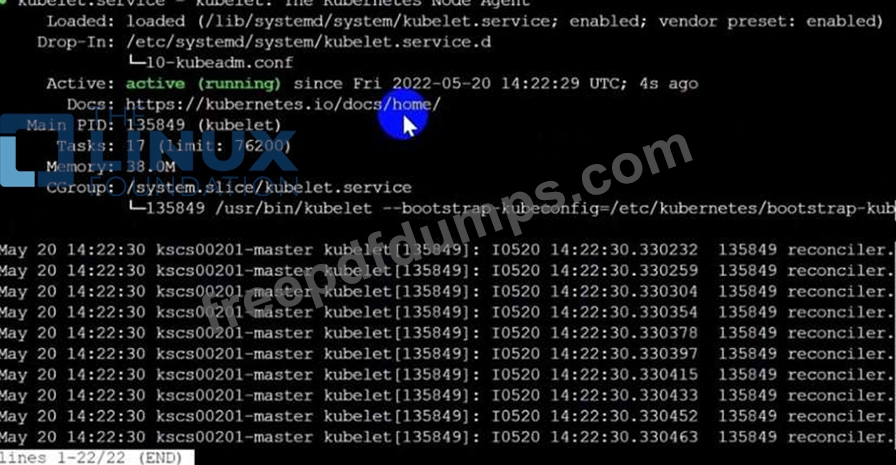
Fix all issues via configuration and restart the affected components to ensure the new setting takes effect.
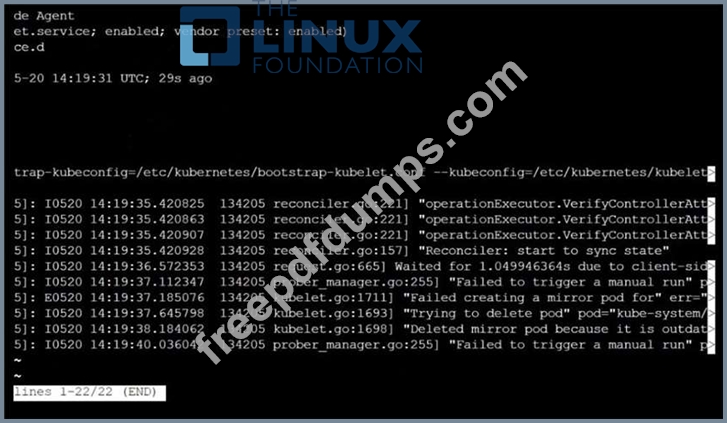
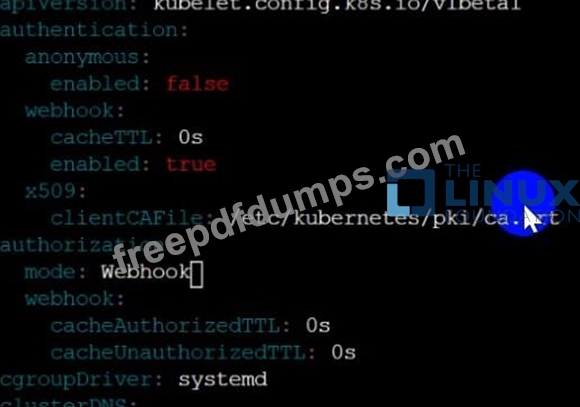
Fix all of the following violations that were found against the API server:- a. Ensure the --authorization-mode argument includes RBAC b. Ensure the --authorization-mode argument includes Node c. Ensure that the --profiling argument is set to false Fix all of the following violations that were found against the Kubelet:- a. Ensure the --anonymous-auth argument is set to false.
b. Ensure that the --authorization-mode argument is set to Webhook.
Fix all of the following violations that were found against the ETCD:-
a. Ensure that the --auto-tls argument is not set to true
Hint: Take the use of Tool Kube-Bench
Fix all of the following violations that were found against the API server:- a. Ensure the --authorization-mode argument includes RBAC b. Ensure the --authorization-mode argument includes Node c. Ensure that the --profiling argument is set to false Fix all of the following violations that were found against the Kubelet:- a. Ensure the --anonymous-auth argument is set to false.
b. Ensure that the --authorization-mode argument is set to Webhook.
Fix all of the following violations that were found against the ETCD:-
a. Ensure that the --auto-tls argument is not set to true
Hint: Take the use of Tool Kube-Bench




CKS Exam Question 39
SIMULATION
On the Cluster worker node, enforce the prepared AppArmor profile
#include <tunables/global>
profile nginx-deny flags=(attach_disconnected) {
#include <abstractions/base>
file,
# Deny all file writes.
deny /** w,
}
EOF'
Edit the prepared manifest file to include the AppArmor profile.
apiVersion: v1
kind: Pod
metadata:
name: apparmor-pod
spec:
containers:
- name: apparmor-pod
image: nginx
Finally, apply the manifests files and create the Pod specified on it.
Verify: Try to make a file inside the directory which is restricted.
On the Cluster worker node, enforce the prepared AppArmor profile
#include <tunables/global>
profile nginx-deny flags=(attach_disconnected) {
#include <abstractions/base>
file,
# Deny all file writes.
deny /** w,
}
EOF'
Edit the prepared manifest file to include the AppArmor profile.
apiVersion: v1
kind: Pod
metadata:
name: apparmor-pod
spec:
containers:
- name: apparmor-pod
image: nginx
Finally, apply the manifests files and create the Pod specified on it.
Verify: Try to make a file inside the directory which is restricted.
CKS Exam Question 40
You must complete this task on the following cluster/nodes: Cluster: immutable-cluster Master node: master1 Worker node: worker1 You can switch the cluster/configuration context using the following command: [desk@cli] $ kubectl config use-context immutable-cluster Context: It is best practice to design containers to be stateless and immutable. Task: Inspect Pods running in namespace prod and delete any Pod that is either not stateless or not immutable. Use the following strict interpretation of stateless and immutable: 1. Pods being able to store data inside containers must be treated as not stateless. Note: You don't have to worry whether data is actually stored inside containers or not already. 2. Pods being configured to be privileged in any way must be treated as potentially not stateless or not immutable.


Premium Bundle
Newest CKS Exam PDF Dumps shared by Actual4test.com for Helping Passing CKS Exam! Actual4test.com now offer the updated CKS exam dumps, the Actual4test.com CKS exam questions have been updated and answers have been corrected get the latest Actual4test.com CKS pdf dumps with Exam Engine here:
(66 Q&As Dumps, 30%OFF Special Discount: Freepdfdumps)