SC-300 Exam Question 46
Your network contains an on-premises Active Directory domain that syncs to an Azure Active Directory (Azure AD) tenant- Users sign in to computers that run Windows 10 and are joined to the domain.
You plan to implement Azure AD Seamless Single Sign-On (Azure AD Seamless SSO).
You need to configure the computers for Azure AD Seamless SSO.
What should you do?
You plan to implement Azure AD Seamless Single Sign-On (Azure AD Seamless SSO).
You need to configure the computers for Azure AD Seamless SSO.
What should you do?
SC-300 Exam Question 47
You have an Azure Active Directory (Azure AD) tenant that contains an administrative unit named Department1.
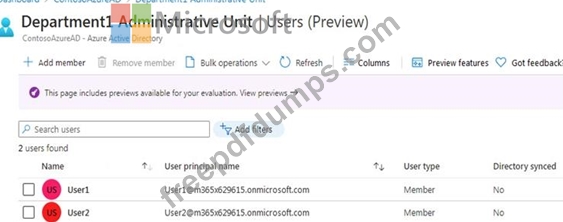
Department1 has the users shown in the Users exhibit. (Click the Users tab.)
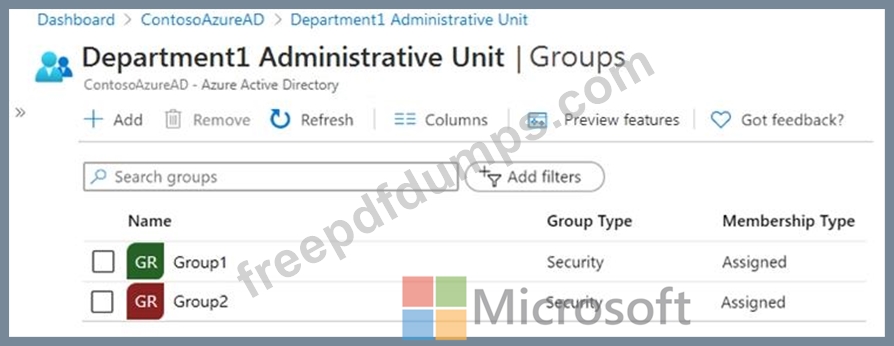
Department1 has the groups shown in the Groups exhibit. (Click the Groups tab.)
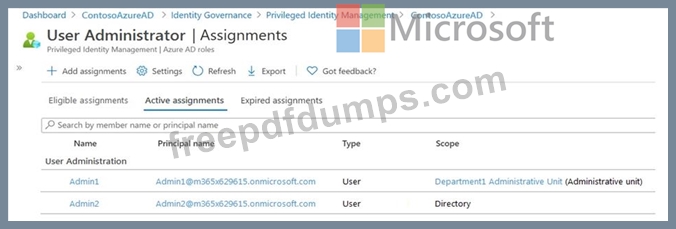
Department1 has the user administrator assignments shown in the Assignments exhibit. (Click the Assignments tab.)
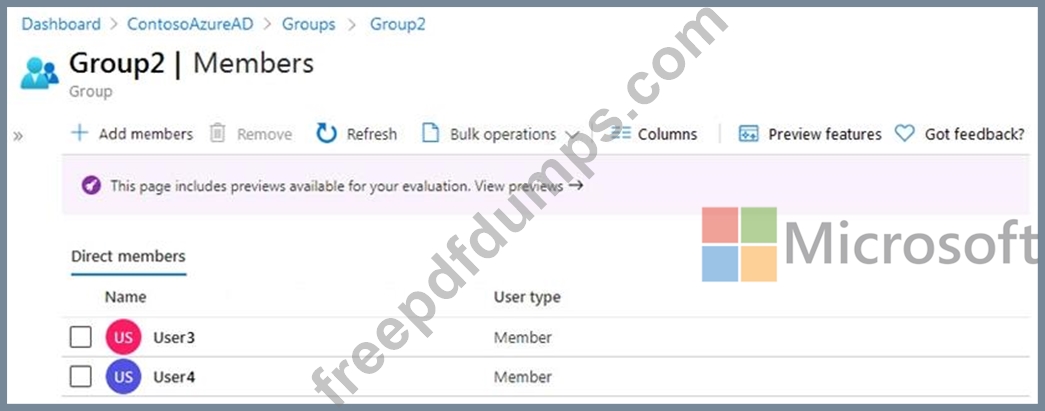
The members of Group2 are shown in the Group2 exhibit. (Click the Group2 tab.)
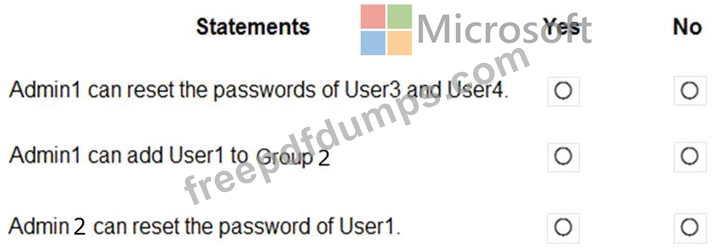
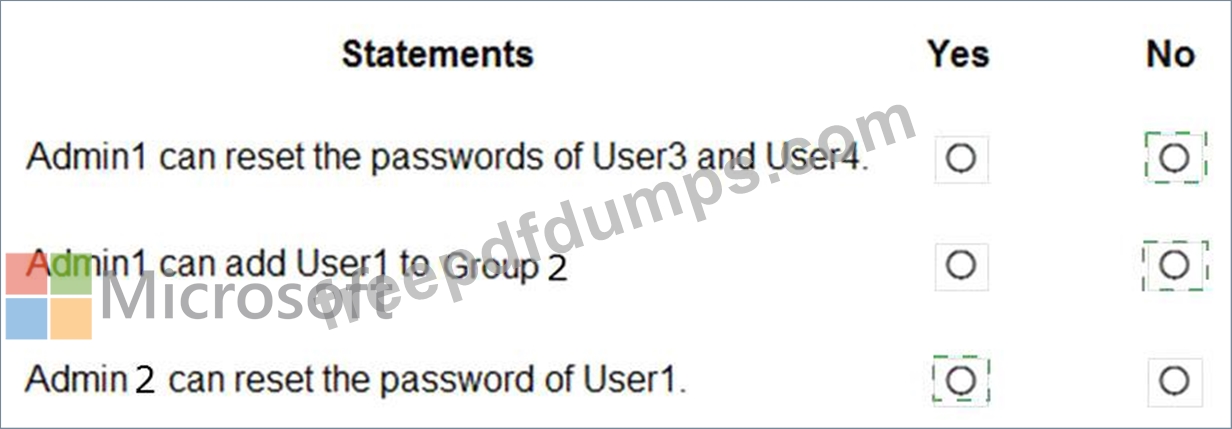
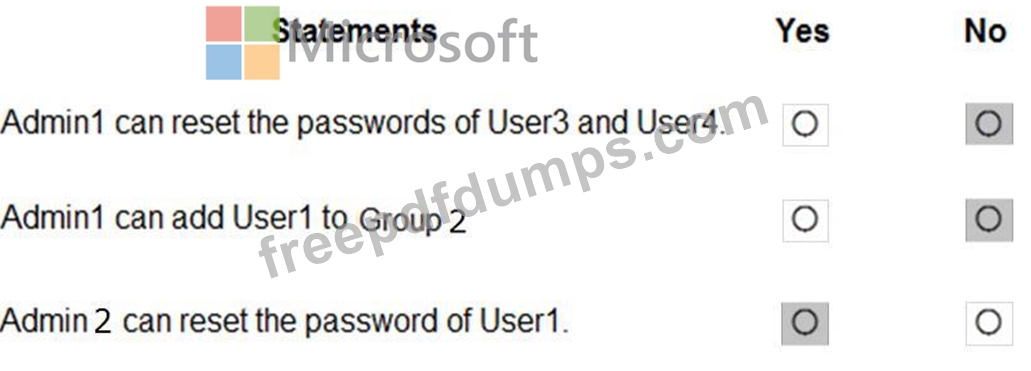
For each of the following statements, select Yes if the statement is true. Otherwise, select No.
NOTE: Each correct selection is worth one point.
Department1 has the users shown in the Users exhibit. (Click the Users tab.)
Department1 has the groups shown in the Groups exhibit. (Click the Groups tab.)
Department1 has the user administrator assignments shown in the Assignments exhibit. (Click the Assignments tab.)
The members of Group2 are shown in the Group2 exhibit. (Click the Group2 tab.)
For each of the following statements, select Yes if the statement is true. Otherwise, select No.
NOTE: Each correct selection is worth one point.
SC-300 Exam Question 48
You have a Microsoft 365 tenant.
In Azure Active Directory (Azure AD), you configure the terms of use.
You need to ensure that only users who accept the terms of use can access the resources in the tenant. Other users must be denied access.
What should you configure?
In Azure Active Directory (Azure AD), you configure the terms of use.
You need to ensure that only users who accept the terms of use can access the resources in the tenant. Other users must be denied access.
What should you configure?
SC-300 Exam Question 49
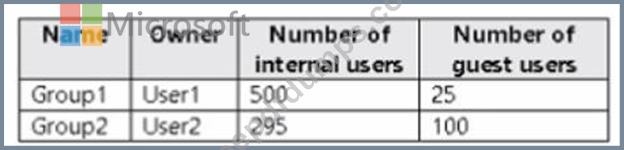
You have an Azure AD tenant that contains the groups shown in the following table.
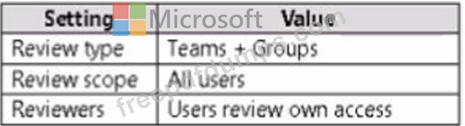
You create an access review for Group1 as shown in the following table.
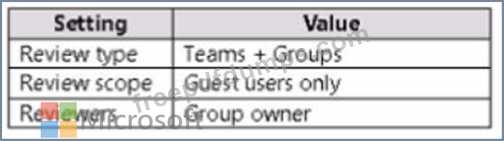
You create an access review for Group2 as shown in the following table.
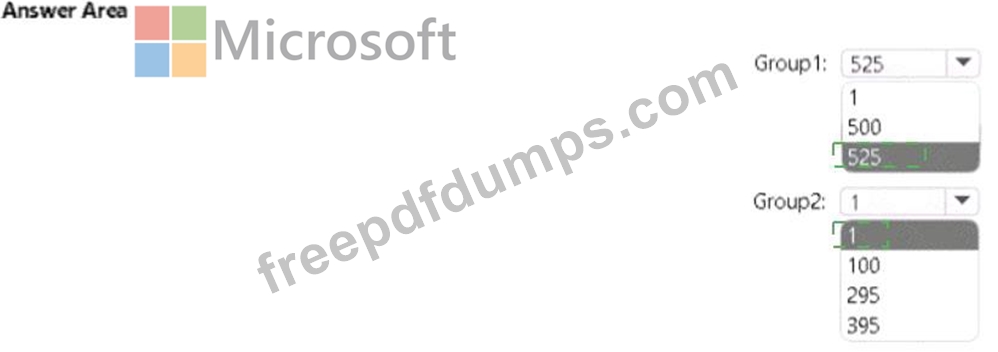
What is the minimum number of Azure AD Premium P2 licenses required for each group? To answer, select the appropriate options in the answer area. NOTE: Each correct selection is worth one point.

You create an access review for Group1 as shown in the following table.
You create an access review for Group2 as shown in the following table.
What is the minimum number of Azure AD Premium P2 licenses required for each group? To answer, select the appropriate options in the answer area. NOTE: Each correct selection is worth one point.

SC-300 Exam Question 50
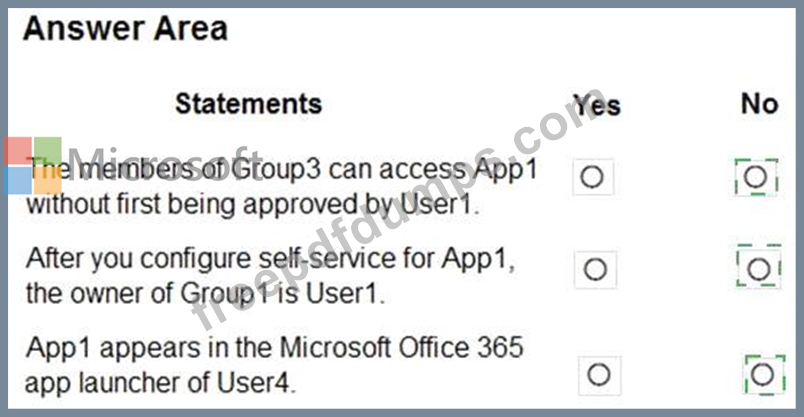
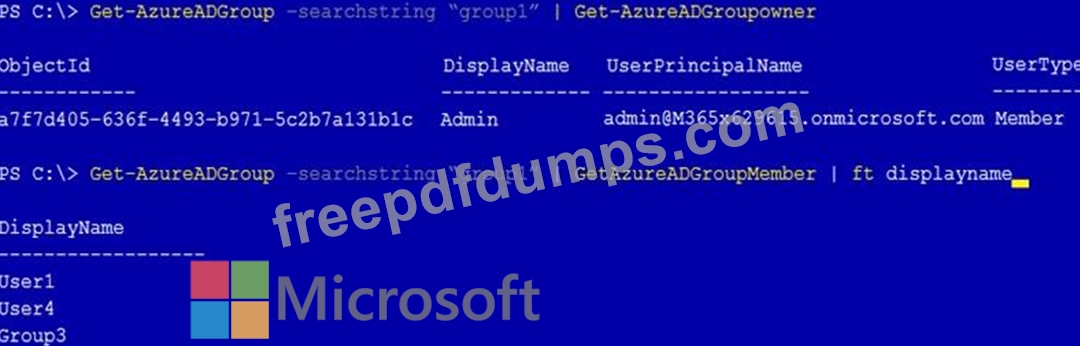
You have a Microsoft 365 tenant that contains a group named Group1 as shown in the Group1 exhibit. (Click the Group1 tab.)
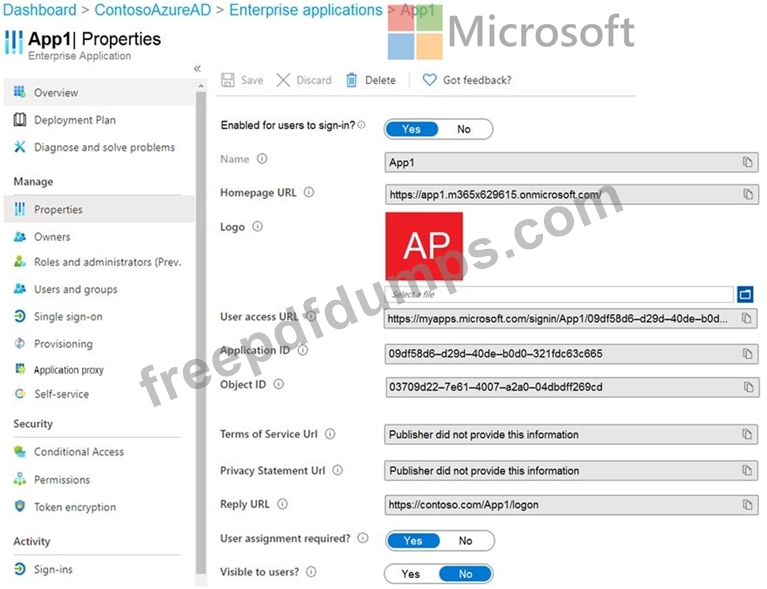
You create an enterprise application named App1 as shown in the App1 Properties exhibit. (Click the App1 Properties tab.)
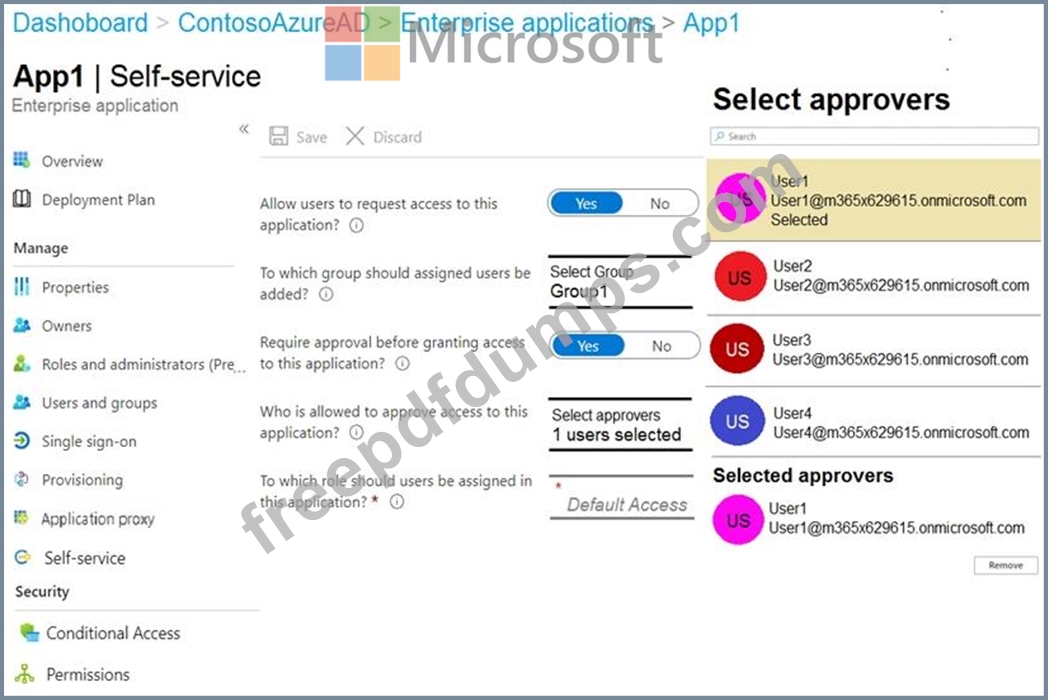
You configure self-service for App1 as shown in the App1 Self-service exhibit. (Click the App1 Self-service tab.)
For each of the following statements, select Yes if the statement is true. Otherwise, select No.
NOTE: Each correct selection is worth one point.

You create an enterprise application named App1 as shown in the App1 Properties exhibit. (Click the App1 Properties tab.)
You configure self-service for App1 as shown in the App1 Self-service exhibit. (Click the App1 Self-service tab.)
For each of the following statements, select Yes if the statement is true. Otherwise, select No.
NOTE: Each correct selection is worth one point.